


Home

Free Realistic Tweet Generator (+ Guide)

A free realistic tweet generator that recreates real or fake X (Twitter) posts for free, drawn the way X shows them, for slides, thumbnails and mockups.

Navid Moazzezby Navid Moazzez·Updated 26 Sep 2026·4 min read

Paste a link to a post on X, or type your own. Everything is drawn in your browser at twice the pixels.

1

The post

Add a photo
or
Or drag a photo in, or paste one.
Badge
Counts
2

Photos, quote, reply and thread

Photos or video
Quoted post
Thread

More posts by the same person, joined by X's line. A thread shows in the timeline view.

3

The look

Theme
4

Size and background

Corners

Preview

Drawn in your browser at twice the pixels. Your photos stay on your device.

Sharpen it withClaudeChatGPTGrokPerplexityGemini
Rate this tool

This free realistic tweet generator makes an X post that looks the way X shows it: the same sizes and the same colors, in light, dim or dark mode.

Paste a link to recreate a real tweet, or make a fake one from scratch.

Use it for slides, YouTube thumbnails, content plans, courses and client mockups. Everything is drawn in your browser at twice the pixels, so it stays sharp.

Here's what a fake tweet generator is, how to make a realistic one, which theme to pick, and the line not to cross.

What is a fake tweet generator?

A fake tweet generator, also called a realistic tweet generator or an X post generator, is a tool that draws a post that looks like it's on X, with the text, name, photo, badge and counts you choose.

This one draws it to X's own measurements, in the timeline or on the post's own page.

How to make a fake tweet

Make a tweet mockup0/5

A profile link works too: it fills in the handle. X shows a name and photo only with a post, so paste 1 of their posts to fill those.

Made to X's own measurements

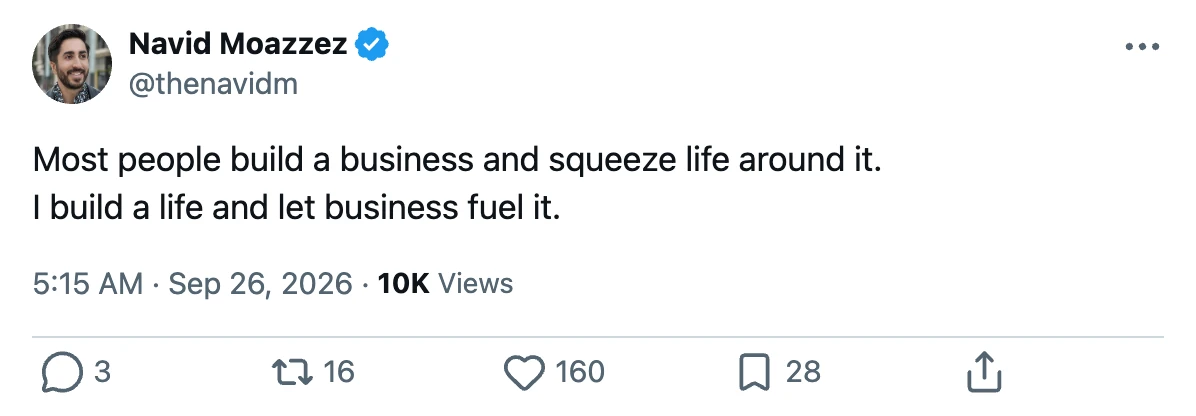
I measured X on September 26, 2026, and read its colors from X's own code and embed:

  • 2 views. The timeline card has a 40-pixel photo and the text at 15 pixels. The post's own page puts the name over the handle and the text at 17 pixels.
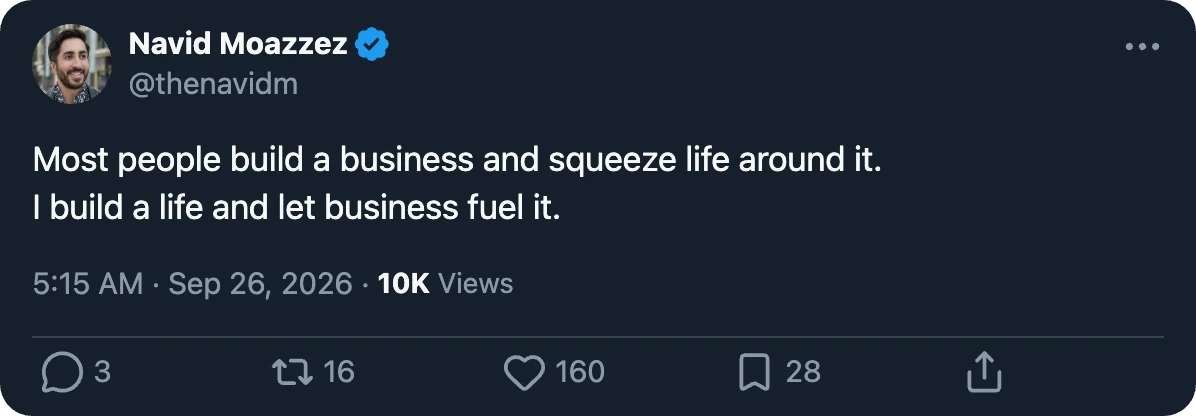
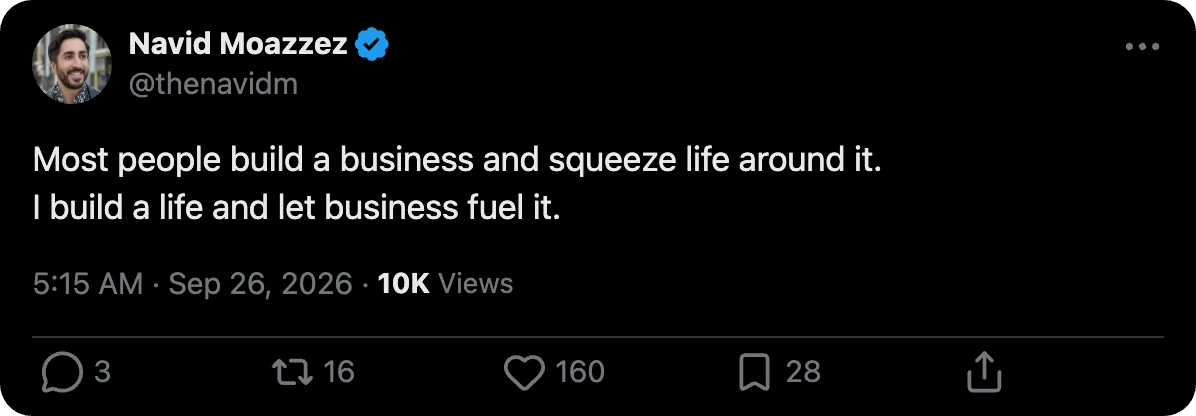
  • 3 themes: light on white, dim on X's dark blue, and dark on black.
  • 3 badges: X's blue, the gold of verified businesses, and the gray of governments.
  • Numbers the way X writes them. X cuts counts instead of rounding them: 1,198 views showed as 1.1K in the timeline and 1,198 on the post's page.
  • Links the way X shows them: without https://, cut after 20 characters with "…", in X's blue.

Links, @mentions, #hashtags and $cashtags are found with X's own open source library. So they match what X would link.

What it can show

PartWhat you can set
PostText, name, handle, round or square photo, badge
TimeThe timeline's "2h", or the date and time on the post's page, picked on a calendar with the hour, minute and AM or PM
CountsReplies, reposts, likes, bookmarks and views
Pictures1 to 4 photos, or a video with its length
QuoteA quoted post inside, with its own name, badge and text
Reply"Replying to @handle" above the text
ThreadSeveral posts joined by X's line, in the timeline view

X draws a business's photo as a rounded square instead of a circle, so the photo has both shapes.

Drag a photo in, paste a link to one, or upload it.

Simulate engagement

Type any counts you like, or let the tool roll them. Move the virality slider from a quiet post to a viral one, and press Randomize for a new set.

The numbers keep the shape of a real post: views far above likes, and reposts, replies and bookmarks a share of the likes.

Light, dim or dark: which to pick

  • Light reads best on a white slide, in a document and in most YouTube thumbnails.
  • Dark stands out on a dark slide and in a story.
  • Dim, X's dark blue, is softer than dark and sits well on a colored background.

Switch between them right above the preview.

Pick a size to place the post on a background: 1:1, 4:5 for Instagram, 16:9 for YouTube or 9:16 for stories.

The backgrounds are my site's own colors, or the theme's own color. The post downloads with rounded corners, ready to drop on a slide, or square ones if you pick Square.

The line not to cross

A tweet mockup is fine for your own posts, for parody that reads as parody, for teaching and for design work.

Making it look like a real person said something they never said is not fine. It can be defamation or impersonation, and platforms take it down.

So the tool starts with 1 of my own posts, not a famous person's. And every PNG it saves carries a note in its file details saying it's a mockup made on navid.me.

Nobody sees the note, and it doesn't change the picture.

Turn a real post into a design

For your own posts in your own look, the post image generator draws them as quote cards and carousels.

For LinkedIn, the LinkedIn post preview shows a post the way LinkedIn's feed does.

Ready to post it?

Or post from your AI with my open source MCP servers and CLIs

Tweet Generator FAQs

Questions about making tweet mockups? Here's what to know.

A fake tweet generator, or realistic tweet generator, is a tool that draws a post that looks like it's on X, with the text, name, photo, badge and counts you choose. This one draws it to X's own measurements, in the timeline or on the post's page, in light, dim or dark mode.

To make a fake tweet, type the text, name and handle into the fake tweet generator, add a photo, a badge and the counts, pick a view and a theme, and press Download PNG. The preview updates as you type.

Yes, paste the link to a post on X and press Read the post: the fake tweet generator fills in the text, name, handle, photo, badge, likes, replies and date. You type in the reposts, bookmarks and views.

Making a fake tweet is fine for your own posts, clear parody, teaching and design mockups. Making it look like a real person said something they never said can be defamation or impersonation, and platforms remove it. The PNGs this tool saves carry a note in their file details saying they're mockups.

Yes, you can set the replies, reposts, likes, bookmarks and views to any number, or move the virality slider and press Randomize for believable ones. The fake tweet generator writes them the way X does: cut, not rounded, so 1,198 shows as 1.1K in the timeline.

Yes, you can set every part of the tweet: the photo (dragged in, from a link or uploaded), name, handle, badge, text, date and time, counts, photos or a video, a quoted post, a reply line and a thread, then the view, the theme and the size.

No, you don't need an X or Twitter account to make a fake tweet: the tweet generator runs in your browser, with no sign-up. Recreating a real post from its link doesn't need an account either.

Yes, you can make a tweet from any name and handle, or recreate any public post from its link. Don't use it to put words in a real person's mouth: making it look like someone said something they never said can be defamation or impersonation.

Yes, the fake tweet generator is free, with no sign-up, no watermark and no limit on the tweets you make. Only reading a post from a link has a limit, 30 every 10 minutes, to keep it free for everyone.

Yes, you can add up to 4 photos, a video with its length, a quoted post with its own name and badge, a "Replying to" line, and a thread of posts joined by X's line.

Yes, the fake tweet generator draws all 3 of X's themes: light, dim and dark, with the colors X uses, read from X's own code and embed.

No, there's no watermark on the tweet image. The PNG carries a note in its file details that it's a mockup made on navid.me, which no viewer shows and which doesn't change the picture.

For Instagram, a tweet image works best at 4:5 (1080 × 1350); for YouTube, at 16:9 (1920 × 1080); for a story, at 9:16 (1080 × 1920). Pick the size in the fake tweet generator and it places the post on a background at that size.

The fake tweet generator is for creators, marketers, teachers and designers who need an X post in a slide, a thumbnail, a course or a client mockup, drawn sharp instead of screenshotted.

For X posts, the X character counter counts the way X does and splits a long post into a thread, and the post image generator turns your posts into quote cards and carousels. See all my free tools.

No, nothing you make is stored on my site: the post is drawn in your browser, and your work and photos are kept in this browser only. Reading a post from a link asks X's public embed feed for that 1 post, through my site.

Navid Moazzez

AI business strategist & AI OS builder

Navid Moazzez helps creators and founders master AI and build their own AI Operating System (AI OS) to automate their business and life.

Navid.me is reader-supported. When you buy through links on this site, I may earn an affiliate commission. Learn more.



More free tools

Free AI newsletter

The most actionable AI newsletter for founders

Every week, get proven AI strategies, curated tools, and step-by-step systems to grow your audience, create better content, and build a profitable creator business.

No fluff, no filler, no BS. Just five minutes each week that might level up your online business and life.

P.S. Sign up now to get free access to my ultimate AI tools guide for creators.

Loved by 10,000+ readers