
10 biggest AI lessons to 10x your creator business (2026)
Want to scale your creator business with AI? These 10 biggest AI learnings and lessons will help you create more, work less, and grow faster.
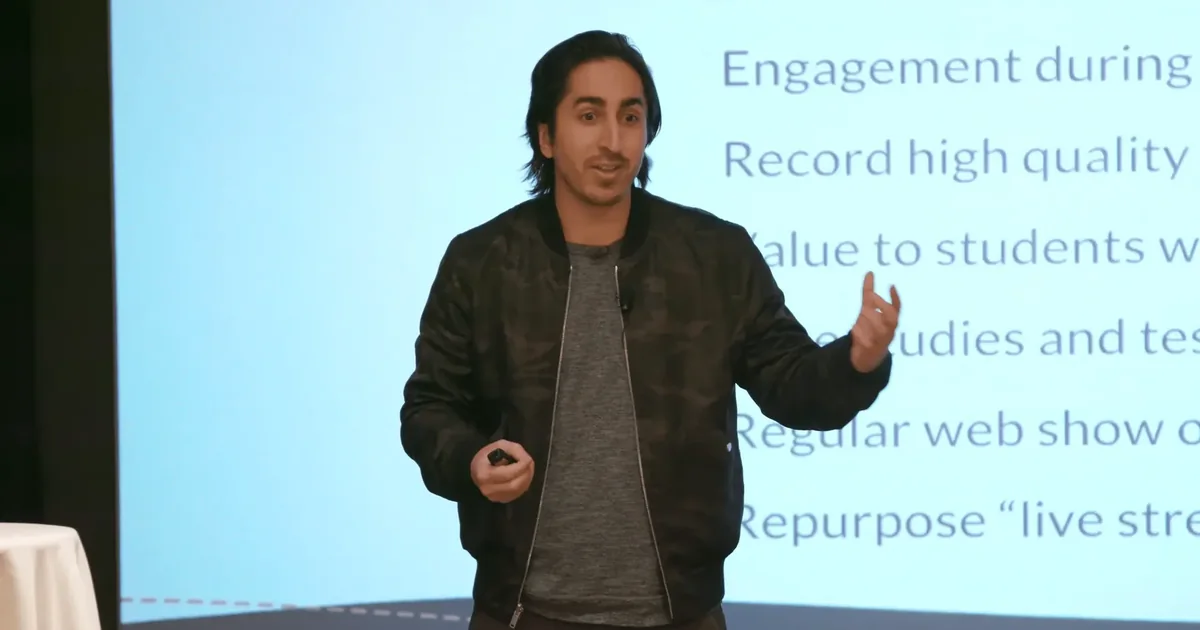
I was skeptical about AI.
At first, it felt like another overhyped trend.
Sure, it could write decent emails and summarize articles, but I didn’t see how it could actually help me as a creator and entrepreneur.
Then I started using it the right way.
Not just to save time but to scale my business, create better content, and discover ideas I never would have thought of on my own.
Now? I wouldn’t build anything without it.
The problem? Most people are using AI the wrong way.
Ignore this, and you’ll be playing catch-up.
Let’s dive right in.
Master the ability to learn anything faster, and you’ll outperform everyone still stuck in the slow lane.
10 biggest AI learnings and lessons
The creator landscape is changing rapidly. Those who learn AI now will have massive advantages over those who don’t.
Lesson #1: AI is your co-pilot, not your replacement
Most creators get this wrong from the start.
They try using ChatGPT to “write a blog post” from scratch. Get generic results. Then conclude AI doesn’t work.
Here’s what I discovered instead:
AI works best when it amplifies YOUR unique voice, not replaces it.
For example, when I create content now, I never ask AI to “write” anything from scratch.
Instead, I provide my outline, key points, and voice guidance first.
How to implement this:
Start with your core idea. Then use this prompt in Claude:
“I’m writing about [topic]. My unique angle is [your perspective]. Here’s my outline [paste outline]. Help me expand point #2 while maintaining my conversational tone.”
This approach ensures the content feels like YOU, just created much faster.
Pro tip Save your best-performing prompts in a swipe file. I have a Notion database with 100+ proven prompts that consistently produce content that sounds like me, not a robot.
The creators who win with AI aren’t those who let it replace them, but those who use it to become more of themselves.
Lesson #2: The magic is in the conversation, not the perfect prompt
I wasted weeks hunting for “perfect prompts.”
Big mistake.
The real breakthrough came when I started having back-and-forth conversations with AI tools.
When ChatGPT, Claude, or personal favorites like RightBlogger gives me a first draft that isn’t quite right, I don’t start over. I simply respond with specific feedback:
“This sounds too formal. Make it more casual with shorter sentences like I typically use.”
How to implement this
After getting an initial response, follow up with specific directions:
“That’s a good start. Could you make it more actionable by adding 3 specific examples? Also, let’s make the introduction more personal by mentioning [specific experience].”
This conversation approach gets results that no single “perfect prompt” ever could.
Lesson #3: Strategic workflows beat random tools
The problem isn’t finding AI tools. It’s knowing which ones to use together.
I’ve tested dozens of AI tools. Most weren’t worth the time.
Now I use a streamlined workflow:
- Claude for research and outlines
- RightBlogger for SEO-optimized content
- Descript for turning written content into videos
- Canva with Adobe Firefly for custom visuals
This combination saves me 15+ hours weekly.
How to implement this:
Map your content process. Identify the 3 most time-consuming steps. Then find ONE specialized AI tool for each:
- Content planning and workflows? Try Vocable.
- Writing? Use Claude or RightBlogger.
- Video creation? HeyGen works wonders.
Don’t try to use every shiny new AI tool. Find your core stack and master it.
Lesson #4: Repurposing is your profit multiplier
This lesson changed everything for my business.
Instead of creating content from scratch for each platform, I now create ONE comprehensive piece. Then use AI to transform it into multiple formats.
For example, I recently turned one long-form blog post into:
- An X thread
- 3 LinkedIn posts
- 5 newsletter sections
- A script for a YouTube video
All in under 30 minutes using AI.
How to implement this
After creating your main content, use this prompt in Claude:
“I’ve created this [blog post]. Help me repurpose it into: 1) A 10-post X thread, 2) Three LinkedIn posts with different angles, 3) Five Instagram captions with hook ideas, and 4) An outline for a 5-minute video script.”
This instantly multiplies your content’s reach without multiplying your effort.
Lesson #5: AI excels at structure, you excel at insight
Here’s a powerful realization I had:
AI is amazing at creating structure and organization. But YOUR unique insights are what truly connect with your audience.
So instead of asking AI to write complete content, I use tools like RightBlogger to handle the structure while I add my personal stories and insights.
This balance produces content that’s both efficient AND impossible for AI alone to create.
How to implement this:
Use this two-phase approach with Claude:
First, ask: “Create a detailed outline for [topic].”
Then, for each section, add your unique insights before asking: “Help me refine this section while keeping my key points and personal experiences intact.”
This approach maintains your authentic voice while saving hours of time.
Lesson #6: Data-driven AI beats random creativity
Random content creation is gambling with your time.
Here’s what works better:
I regularly review my analytics to identify which content performs best. Then I feed those insights to tools like Vocable to create variations on similar themes.
The result? Content that predictably resonates with my audience.
How to implement this:
Before creating content with RightBlogger, use this prompt:
“Based on my analytics, my audience engages most with [topic/format]. Help me create a [content type] that follows a similar structure but covers [new angle].”
This approach turns content creation from guesswork into a data-driven system.
Lesson #7: Strategic AI automation creates freedom
The whole point of using AI is creating more freedom in your business.
I’ve identified the repetitive tasks in my workflow and created automation systems for each.
For example, I use ElevenLabs to convert written content into professional audio, and HeyGen to create video variations without requiring me on camera for every piece.
This automation gives me back 10+ hours weekly.
How to implement this:
- Create a “standard operating procedure (SOP)” for each repetitive task.
- Then develop specific prompts for Claude or workflows in tools like Descript that consistently produce usable results.
- Focus on automating tasks you do at least weekly for the biggest impact.
Lesson #8: Personalization at scale is the new advantage
Generic content doesn’t cut it anymore.
The game-changer in my business has been using AI for personalized experiences at scale.
For instance, I’ve used Coachvox AI to turn my expertise into conversational experiences where my audience feels like they’re getting direct access to me, even when I’m not personally responding.
Similarly, Membership.io’s Wisdom AI feature lets me upload my content library so subscribers can have AI-powered conversations that reflect my knowledge and teaching style.
This creates deeper connections without requiring my constant presence.
How to implement this
- Start by identifying your most common audience questions.
- Use Coachvox AI to create an AI version of yourself by uploading your content and expertise.
- For membership sites, explore Membership.io’s Wisdom AI to give members 24/7 access to an AI assistant trained on your knowledge base.
This creates personalized experiences that scale infinitely.
Lesson #9: AI-enhanced decision making beats gut instinct
Most creators make business decisions based on gut feeling alone.
I’ve found a better way.
When considering launching new digital products or content series, I use ChatGPT or Perplexity to research market demand, analyze competitor offerings, and identify potential challenges before deciding.
This approach has dramatically improved my success rate on new ventures.
How to implement this:
Create a decision-making template with questions like:
- “What are the pros and cons of [decision]?”
- “What data points should I consider?”
- “What blind spots might exist in my thinking?”
Use Claude to help analyze each area thoroughly before making important business decisions.
Lesson #10: Give AI your context, not just your prompts
The biggest jump in my results didn’t come from a new tool.
It came from giving AI the context it was missing: who I am, what I sell, how I write and what I’m working on right now.
Without that, every chat starts from zero. With it, AI works like a team member who already knows your business.
That’s the idea behind an AI OS: a system that connects AI to your context, your data and your tools, whichever AI you use.
How to implement this:
- Write down the basics once: your offers, your audience, your voice and your current goals.
- Keep your best examples next to it: posts, emails and scripts that sound like you.
- Load that context into a Claude project or a custom GPT, so every chat starts with it.
- Update it when your business changes, the same way you’d brief a new team member.
The best AI tools I recommend for creators
Here are some of the best AI tools I recommend for creators.
- RightBlogger (best AI blogging tool): RightBlogger is an AI-powered tool designed to help you write SEO-friendly, high-quality blog posts quickly and efficiently. Ideal for scaling your content creation.
- Vocable AI (AI-powered content workflows): Vocable AI helps you streamline your content marketing with this all-in-one AI platform. Plan, draft, and optimize multi-channel content effortlessly.
- Claude (#1 AI assistant for long-form content): Claude is a powerful AI assistant designed for detailed long-form writing, brainstorming, and creating in-depth, structured content with ease.
- Canva (#1 AI-powered graphic design software): Canva is a user friendly AI-driven design platform that helps you create professional visuals, templates, and graphics with ease, perfect for content creators.
- Descript (top AI-powered podcast, video & voice editor): Descript is an AI-powered podcast and video editor with transcription, overdubbing, AI voice cloning, and multi-language translation. It also features AI video generation, making content creation easier than ever.
- Voicepal (#1 AI ghostwriter in your pocket): VoicePal is an AI ghostwriter that fits in your pocket, created by Ali Abdaal to turn speech into clear, structured drafts. It helps writers and creators streamline ideas, polish content, and write more efficiently.
FAQs about using AI as a creator
Here are some frequently asked questions about AI and my biggest AI learnings and lessons.
Start with one tool (like ChatGPT or Claude) and one specific task in your workflow.
Begin with basic prompts and focus on having conversations rather than perfect commands. Allocate 30 minutes daily for experimentation, consistency beats intensity.
Only if you’re using it incorrectly. AI should enhance your voice, not replace it. Always review AI-generated content and add your unique stories, opinions, and insights before publishing.
Start with free tools until you understand your needs.
Prioritize tools that directly impact revenue-generating activities.
I personally spend about $150/month on AI tools that save me 60+ hours of work, making the ROI a no-brainer.
You don’t need to chase every new tool.
Focus on use cases, not features.
Ask yourself: “What specific problem will this new tool solve in my workflow?” If you can’t answer clearly, skip it.
Absolutely. AI can handle technical aspects while you focus on creative direction.
Designers can use tools like Adobe Firefly to generate initial concepts.
Musicians can use AI for background tracks while focusing on composition.
Yes, through efficiency, scale, and new product opportunities.
One creator I know used AI to scale their newsletter production, growing from 5K to 25K subscribers in 6 months.
The easiest starting point: use AI to create more consistent content, which builds audience faster.
Final thoughts on the top AI learnings
The creators who will thrive in the coming years won’t be those with the best AI tools.
They’ll be those who best combine AI capabilities with human creativity, authenticity, and strategic vision.
That can be you, if you start implementing these powerful lessons today.
AI isn’t just changing how we create content. It’s transforming the entire creator economy.
The question is: will you be at the forefront of this shift, or playing catch-up later?
Which of these 10 AI lessons resonated with you most? And what’s one way you’re planning to use it this week?
DM me on X or Instagram and let me know. I’ll personally reply.
Navid Moazzez
AI business strategist & AI OS builder
Navid Moazzez helps creators and founders master AI and build their own AI Operating System (AI OS) to automate their business and life.
Navid.me is reader-supported. When you buy through links on this site, I may earn an affiliate commission. Learn more.
Similar articles

How to make money blogging: 10 steps to actually monetize your blog quickly in 2026

How to make money with AI as a creator: 15 real ways (2026)
How to make money podcasting: 18 ways to monetize a podcast

How to make money online as a content creator in 2026

How to start a blog in 2026: Your step-by-step guide for the AI era

How to build a recurring revenue business that earns $10,000/month
1000 true fans: How to build your fan base fast
 Free AI newsletter
The most actionable AI newsletter for founders
Every week, get proven AI strategies, curated tools, and step-by-step systems to grow your audience, create better content, and build a profitable creator business.
No fluff, no filler, no BS. Just five minutes each week that might level up your online business and life.
P.S. Sign up now to get free access to my ultimate AI tools guide for creators.


