


A free keyword generator that turns one keyword into the real searches Google suggests, with how often each is searched and how hard it is to rank.
Type a keyword and pick a country. I ask Google for every search it suggests, about 50 ways, then add how often each one is searched, how hard it is to rank and what a click costs.
Your keyword
Your site (optional)
Add your site to see where it already ranks on Google for each keyword.
A keyword generator turns one keyword into the searches people actually type around it, and shows you which of them are worth a page.
Pick the right keyword and you're writing for people who are already looking... pick the wrong one, and even a great page gets no visits.
This free keyword generator asks Google for every search it suggests for your keyword, about 50 different ways, in the country you pick.
Then it adds each keyword's monthly searches, difficulty, cost per click, intent and last 12 months, plus up to 300 more keywords from a keyword database, and how often the main one is asked on AI assistants.
I built it because most free keyword tools show 7 to 20 keywords, or lock the numbers behind a sign-up, and I wanted the whole list with its numbers.
So here's how it works, what every number means, and how I choose the keywords worth writing for.
 TL;DR
TL;DRKey takeaways
What is a keyword generator?
A keyword generator is a tool that finds search phrases related to a keyword. You give it one word or phrase, and it gives you the other ways people search for the same thing.
A good one answers three questions:
- What do people search? – every related search, not just the ones you'd think of.
- How often, and how hard? – monthly searches, difficulty and cost per click for each.
- What do they want? – the intent behind each search, so you know what page to write.
This one takes them in that order, then lets you filter, sort, save and download the lot.
Where the keywords come from
The list mixes two sources, so you get both what people type today and what's been measured over the past year.
| Source | What it adds |
|---|---|
| Google's suggestions | The searches Google suggests as you type, asked about 50 ways: the keyword, a to z after it, question words before it, and words like best, vs, for and near |
| A keyword database | Up to 300 more keywords holding your keyword, the most searched first, with the ones Google didn't suggest marked |
| Google Ads data | Monthly searches, cost per click and competition for every keyword, updated once a month |
| AI search data | How often your main keyword is asked on AI assistants each month |
Google's own page on how autocomplete works says its suggestions reflect real searches, shaped by the language, the location and what's trending. That's why the country you pick changes the list.
What each number means
Every keyword gets up to six numbers. This is what each one tells you.
Monthly searches
How often the keyword is searched on Google in that country, averaged over the last 12 months. It's an estimate from Google Ads data, so use it to compare keywords, not to predict your visits.
Keyword difficulty
How hard it is to reach Google's top 10, from 0 to 100. It's worked out from the links the top 10 pages have, so a low number means the pages ranking now don't have many.
- What it means
- The top pages have few links
- What it takes
- A clear, useful page, often without any links
- What it means
- Some competition
- What it takes
- A strong page and a few links from related sites
- What it means
- Strong pages with plenty of links
- What it takes
- A standout page and links of your own
- What it means
- Big, well-linked sites
- What it takes
- Start with an easier keyword from the list
Cost per click and competition
What advertisers pay for a click on Google Ads, and how many of them compete for it. A high cost per click means the people searching are worth money, which usually means they're close to buying.
Search intent
What the searcher wants to do. It decides what kind of page can rank, so it gets its own section below.
AI searches
How often your main keyword is asked on AI assistants each month, with its own 12-month chart. It shows whether people ask AI about your topic, and whether that's growing.
Last 12 months
The searches month by month, as a small line on every keyword and a chart for the main one. It shows seasons, like gift searches in December, and topics that are growing or fading.
How to find keywords
It takes about a second for Google's suggestions, and a few more for the numbers.
Pro tip Start with a short keyword of one or two words. It gets you the widest list, and the filters narrow it faster than a long keyword would.
A real example: podcast microphone
I ran "podcast microphone" for the United States on September 30, 2026, with the database's figures from mid-September. These are the numbers, and what I'd do with them.
| Measure | podcast microphone |
|---|---|
| Monthly searches | 18,100 |
| Keyword difficulty | 0, easy |
| Search intent | Transactional |
| Cost per click | $1.40, high ad competition |
| AI searches | 167 a month |
| Keywords found | 382, with 81,650 searches between them |
| On its results page | Products, People also ask, Images |
Three things stand out:
- It's a buying search – transactional intent, product listings on the results page and a paid click that advertisers compete for. The page to write is a buying guide or a product comparison, not an explainer.
- It's easier than it looks – difficulty 0 means the pages ranking now have few links, and the top 10 average 28 linking sites. A thorough guide can compete.
- The long tail is where the plan is – "best podcast microphone" (4,400 searches), "podcast dynamic microphone" (3,600) and "usb microphone for podcast recording" (720, at $7.69 a click) each deserve a section, or a page of their own.
Searches for it fell from 22,200 a month to 14,800 over the year, and AI searches fell too. Worth knowing before you build a site around it, and worth checking against the trend of a nearby keyword.
How to pick the keywords worth a page
A long list is only useful if you can choose from it. This is the order I work in.
Start with intent
Match the page to what the searcher wants. A buying keyword needs a comparison or a product page, and a question needs a clear answer, whatever the numbers say.
Look for easy or possible difficulty
Filter to easy and possible, then sort by most searched. That's your shortlist: keywords people search that you can realistically rank for.
Match the searches to your size
A new site does better with 50 searches a month it can win than 50,000 it can't. As your site earns links, move up to harder keywords.
Check the results page
Search the keyword on Google and look at what ranks. If the top pages answer a different question than yours, pick another keyword, however good its numbers look.
Group what belongs together
Keywords that mean the same thing belong on one page. "podcast microphone" and "podcast mic" are one page; "podcast microphone for iphone" may be a section; "podcast microphone vs condenser" may be its own comparison.
Search intent, explained
Intent is the single most useful column in the list. It sorts every keyword into one of four kinds:
- What the searcher wants
- To learn something
- Example
- how to use a podcast microphone
- The page to write
- A guide or tutorial
- What the searcher wants
- To reach a site or brand
- Example
- shure podcast microphone
- The page to write
- The brand's own page, or a review
- What the searcher wants
- To compare before buying
- Example
- best podcast microphone
- The page to write
- A comparison or list of the best
- What the searcher wants
- To buy now
- Example
- podcast microphone
- The page to write
- A product page or buying guide
The groups at the top of the list, like questions, comparisons and ready to buy, come from the words in each search. Intent comes from the keyword database, so use the two together.
Long-tail keywords
A long-tail keyword is a longer, more specific search, like "usb microphone for podcast recording" instead of "microphone". Each one gets fewer searches, but together they add up, and they're usually much easier to rank for.
People who type a long search know what they want. That's why long-tail keywords often have a higher cost per click than the short one they come from.
The easiest way to find them is to sort by easiest first, then filter to 10 or more searches a month.
Questions: your sections and your FAQ
The questions group holds every search that starts with how, what, why, which or can. Each one is a heading waiting to happen.
- Big questions become sections, like "How do you connect a podcast microphone to an iPhone?"
- Short questions become FAQ answers at the end of your page.
- Questions with People also ask on their results page are worth answering in one or two clear sentences, right under the heading.
Filter to the questions group and save the ones you'll answer. The CSV keeps them in one place while you write.
Topics: turn keywords into a content plan
The topics under the groups are the words your keywords share most, like mic, usb, stand, xlr and shure for podcast microphone. Each topic is a cluster: a set of keywords that could share a page, or a section.
Dennis Yu described the idea behind it:
We like to create web pages on every single entity.
For anyone that does SEO, the idea of an entity is a person, a place, a thing.
A topic with many keywords and good searches deserves its own page. Link the pages in a cluster to each other and to your main page, so readers and Google can move between them.
Using your keywords on the page
A keyword tells you what to write about, not how many times to repeat it. Put your main keyword where it helps a reader:
- In your title and your H1, near the start
- In the first paragraph, where you say what the page covers
- In a heading or two, where it fits naturally
- In your meta description, which shows on Google
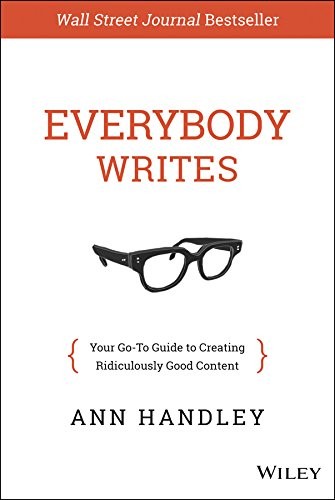
Then write for the reader. Ann Handley's Everybody Writes is still the best book I know on making every sentence earn its place.
Everybody Writes
by Ann Handley
Everybody Writes by Ann Handley teaches how to write compelling content for the internet, covering everything from blog posts and emails to social media and landing pages.
I may earn a commission if you make a purchase, at no additional cost to you.
Google's spam policies call repeating words so often they sound unnatural keyword stuffing. These are the mistakes that come from it:
- Repeating the keyword in every sentence
- Lists of cities, regions or phrases you want to rank for
- Adding keywords to text people can't see
- Writing a separate page for every small variation of the same search
- Choosing a keyword whose intent doesn't match your page
After you write, the keyword density checker shows how often each word appears and where, and the SERP simulator shows how your title and description look on Google.
See where you already rank
Add your site in step 2, and every keyword your site already ranks for shows your position next to it. The ones where you're on page two are your quickest wins: a better section or a few links can move them up.
Keywords in other countries
Pick any of 21 countries before you search. Google suggests different searches in each, and the numbers are for that country, so "podcast microphone" in the United Kingdom is a different list from the one in the United States.
If your audience lives in several countries, run the same keyword in each and compare. The one where it's easiest is often the place to start.
When a paid keyword tool is worth it
This generator gives you hundreds of keywords with their numbers, free. A paid tool is worth it when you need more:
- Thousands of keywords from one seed, not hundreds.
- Every keyword a competitor ranks for, with their position.
- Rank tracking for your keywords over time.
- Many searches a day for an agency.
The paid tools I'd look at are at the end of this page.
Who is the keyword generator for?
It's for anyone who writes something they want people to find:
- How to start a blog – bloggers choosing their first posts
- How to make money blogging – bloggers looking for buying keywords that earn
- How to make money podcasting – podcasters naming episodes people search for
- How to create an online course – course creators checking that people search for their topic
- YouTube keyword tool – creators who want YouTube's own suggestions instead of Google's
- Backlink checker – site owners who want to know how many links a keyword will take
Whatever you make, the list shows you what your audience is already asking. Pair it with the SEO checker once your page is live.
After you find your keywords
These free tools pick up where the list leaves off:
| Tool | Use it when |
|---|---|
| Keyword density checker | You've written the page and want to see how you use your keyword |
| SERP simulator | You're writing the title and description |
| SEO checker | The page is live and you want every check |
| Backlink checker | You want to see the links the pages ranking now have |
| YouTube keyword tool | You're making a video instead of a page |
Take it further


Then write the page
Keyword Generator FAQs
Questions about finding keywords? Here's what to know.
It's a tool that finds the searches people type around a keyword.
This one also shows how often each is searched, how hard it is to rank and what the searcher wants.
Yes, Google says its suggestions reflect real searches people have done.
The keywords marked as from the keyword database are searches it has measured.
Type a keyword into the generator at the top of this page and pick your country.
Filter the list by difficulty and searches, and save the ones you like.
They're estimates from Google Ads data, averaged over the last 12 months.
Use them to compare keywords, not to predict your visits.
It's how hard it is to reach Google's top 10, from 0 to 100.
It's worked out from the links the top 10 pages have.
For a new site, easy (0 to 29) or possible (30 to 49).
Aim higher as your site earns links.
It's what the searcher wants to do: learn, find a site, compare or buy.
Your page has to match it to rank.
They're longer, more specific searches, like usb microphone for podcast recording.
They get fewer searches but are easier to rank for.
It's what advertisers pay for a click on Google Ads.
A high one usually means the searchers are close to buying.
It's how often your main keyword is asked on AI assistants each month.
It shows whether people ask AI about your topic, and whether that's growing.
Some searches are too rare for the database to measure.
They're still real searches Google suggests.
A short keyword often finds 300 to 500 from Google, plus up to 300 from the keyword database.
A long, specific keyword finds fewer.
Yes, pick one of 21 countries before you search.
Google suggests different searches in each, and the numbers are for that country.
Match the intent to your page, then pick easy or possible difficulty with steady searches.
Search it on Google to check what ranks before you write.
One main keyword, plus the variations that mean the same thing.
A different intent deserves a different page.
Yes, add your site in step 2 before you search.
Your position shows next to every keyword you already rank for.
Yes, it's free, with no sign-up.
You get three lookups with numbers a day, and Google's suggestions every time.
I did. I'm Navid Moazzez, and I made the keyword generator as one of my free tools on navid.me.
You can read more about me.
Navid Moazzez
AI business strategist & AI OS builder
Navid Moazzez helps creators and founders master AI and build their own AI Operating System (AI OS) to automate their business and life.
Navid.me is reader-supported. When you buy through links on this site, I may earn an affiliate commission. Learn more.
More free tools


 YouTube

 X
X Bluesky
 LinkedIn
 Threads

 Mastodon
 Instagram
 TikTok
 Pinterest
Related MCP servers & CLIs


 Substack


 Apple Podcasts
 Free AI newsletter
The most actionable AI newsletter for founders
Every week, get proven AI strategies, curated tools, and step-by-step systems to grow your audience, create better content, and build a profitable creator business.
No fluff, no filler, no BS. Just five minutes each week that might level up your online business and life.
P.S. Sign up now to get free access to my ultimate AI tools guide for creators.


