


A free backlink checker that shows every site linking to yours, how strong each link is, what changed, and what to fix first.
Type a site or a page. I read its backlinks from a web-wide link index: authority, every linking site, what's new and lost, what's broken, and what to do first.
Your site or page
Compare with competitors (optional)
Add up to two to compare authority and links, and to see the sites that link to them but not to you.
A backlink checker shows every site that links to yours, and how strong each of those links really is.
Links from other sites are still one of the signals Google uses to find your pages and work out what they're about... so for me, knowing my links is where earning more of them starts.
This free backlink checker reads any site, or a single page, from a web-wide link index.
You get its authority, 24 months of growth, the best link from each of 100 sites with the words around it, lost and broken links, anchor text and a full link profile. Add up to two competitors, and it also shows you the sites that link to them but not to you.
I built it because most free backlink checkers show 5 to 15 links and lock the rest behind a sign-up, which never told me enough to act on.
So here's how I read the report, and how I'd turn what it finds into more links.
 TL;DR
TL;DRKey takeaways
What is a backlink checker?
A backlink checker is a tool that finds the links pointing at a site from other sites. It reads them from a link index: a map of the web, built by a crawler that visits pages and records every link it finds.
A good one answers four questions, and this report takes them in order:
- Who links to me? – every linking site and page, strongest first.
- How strong are those links? – your authority, and the value each site passes to you.
- What changed? – the sites you gained and lost, month by month.
- What should I fix first? – the broken and lost links worth your time, most important first.
Each part of the report below answers one of them, with a CSV to take the list with you.
What are backlinks?
A backlink is a link on someone else's page that points to a page on your site. When LinkedIn's partner page links to a Zapier help article, that's a backlink for Zapier.
Every backlink has three parts you'll see in the report: the page it's on, the page it points to, and its anchor text, the words you click.
Backlinks and referring domains
A referring domain is a site with at least one link to yours. One blog can link to you from 500 of its posts: that's 500 backlinks, but only one referring domain.
That's why the report leads with referring domains. Links from 10 different sites say more about you than 1,000 links from the same one.
Follow, nofollow, sponsored and UGC links
A link can carry an attribute that tells Google how the site stands behind it. Google's own guide to qualifying outbound links names three:
- What it tells Google
- Nothing extra: the site stands behind it
- Where you'll see it
- Articles, resource lists, partner pages
- What it tells Google
- The site doesn't want to be connected with the page it links to
- Where you'll see it
- Links a site won't vouch for
- What it tells Google
- It's an ad or a paid placement
- Where you'll see it
- Sponsored posts, affiliate links
- What it tells Google
- Users wrote it, not the site
- Where you'll see it
- Comments and forum posts
Links with any of these attributes still send readers your way.
The report counts each kind, so you can see how many of your links pass authority and how many only bring visits.
Why backlinks matter for SEO
Google is open about using links. It says so in its own guides, in three ways that matter to you.
Google finds your pages through links
Google's crawler moves across the web by following links. Its guide to links says it uses them to find new pages to crawl, and as a signal of how relevant a page is.
A new page that no other site links to can still be found through your sitemap. A page that other sites link to gets found faster, and gets revisited more.
Links help Google judge what a page is about
Google lists link analysis systems and PageRank among its ranking systems. PageRank was one of its core systems when Google launched, and it has changed a lot since.
A link, and the words around it, tell Google what the page it points to covers.
So a hundred cooking blogs linking to your recipe say more than any keyword you could add to the page.
Links bring visitors on their own
A link in a popular article sends readers for years, whatever Google does. Referral visits are the part of a backlink you can see in your own analytics.
Not every link counts the same
A link a writer chose to put in their article is worth far more than one stuffed into a footer. Dennis Yu put the difference plainly:
It's not purchase links. This is not a bunch of links jammed in the footer.
These are real contextual in-body links that are relevant, that are helpful.
How to check your backlinks
It takes about 10 seconds for a big site, and every part of the report opens free for a week once you've run it.
Pro tip Check your whole site first, then your most important page on its own. A page's own links often explain why it ranks, or why it doesn't.
What each part of the report tells you
The report has 13 parts. This is what each one shows, and what to do with it.
- What it shows
- How strong the site's links are, from 0 to 100
- What to do with it
- Compare it with the sites that rank for your keywords
- What it shows
- Follow links, spam-free links, different networks, links to live pages
- What to do with it
- Look at the lowest bar first
- What it shows
- Broken, lost and spammy links, in order
- What to do with it
- Work down the list
- What it shows
- 24 months of linking sites and backlinks, gained and lost each month
- What to do with it
- Spot a drop, then find what caused it
- What it shows
- The best link from each of 100 sites, with the words around it
- What to do with it
- See who vouches for you, and how
- What it shows
- Links that disappeared, strongest first
- What to do with it
- Ask the best of them to link again
- What it shows
- Links to pages on your site that are gone
- What to do with it
- Redirect each page to the closest live one
- What it shows
- The sites that pass the most value to yours
- What to do with it
- Pitch them your next piece
- What it shows
- The words sites use to link to you
- What to do with it
- Check they sound natural
- What it shows
- Your pages with the most linking sites
- What to do with it
- Make more of what earns links
- What it shows
- Link types, attributes, domain endings, countries, site types, where on the page
- What to do with it
- Spot anything unusual
- What it shows
- Authority and links side by side
- What to do with it
- See how far ahead or behind you are
- What it shows
- Sites that link to your competitors but not to you
- What to do with it
- Your outreach list
A real example: zapier.com
I ran zapier.com through the checker on September 30, 2026. These are its numbers, and what I'd take from them.
| Measure | zapier.com |
|---|---|
| Authority | 76 out of 100 |
| Referring domains | 97,254 |
| Backlinks | 2,157,872 |
| Linking sites that follow | 83% |
| Links flagged as spam | 16% |
| Broken backlinks | 24,989 |
| Linking sites last month | 3,399 gained, 2,646 lost |
| Most used anchor text | Zapier, on 37,257 sites |
Three things stand out:
- Its best links are earned – partner pages at LinkedIn and Google Workspace, and help pages that mention an integration. Nobody sells links like those.
- Its anchors are its name – "Zapier" and "zapier.com" lead the list, which is what natural links look like.
- 24,989 links land on missing pages – old app pages and guides that no longer exist. Each one redirected is a link working again.
Even a site this size loses thousands of linking sites a month. The difference is that it gains more than it loses.
How to read your link profile
The link profile's six charts show what kind of links you have. Most sites look alike here, so anything far from normal is worth a closer look.
- What's normal
- Most linking sites follow
- Worth a closer look
- More than half use nofollow
- What's normal
- Mostly text links, some image links
- Worth a closer look
- Mostly redirects or canonical tags
- What's normal
- Some nofollow, a little UGC and sponsored
- Worth a closer look
- Lots of sponsored links you didn't pay for
- What's normal
- .com and the endings of your audience's countries
- Worth a closer look
- Half your links from one unusual ending
- What's normal
- The countries your audience lives in
- Worth a closer look
- Many links from countries you don't serve
- What's normal
- Mostly in articles and main content
- Worth a closer look
- Mostly in footers, sidebars or menus
A link profile that's far from normal isn't proof of anything. It tells you where to look: open the top backlinks, filter them, and read the pages the odd links come from.
The country chart leaves out endings like .ai and .io, because sites use them for the name, not the country.
What makes a good backlink
Not every link helps. These are the six things I look at, in order.
It's relevant
A link from a site about your topic is worth more than one from an unrelated site. A podcasting blog linking to your microphone guide makes sense to its readers, and to Google.
The site linking to you is trusted
The authority and link value columns show how strong each linking site is. Strong sites link carefully, so their links count for more.
It sits inside the content
A link inside an article, where a writer chose to mention you, is the kind Dennis Yu means. Links in footers, sidebars and menus sit on every page of a site and count for less.
The link profile's "Where on the page" chart shows how your links split between articles, sections, footers and menus.
The anchor text sounds natural
Natural links usually use your name, or a few plain words about your page.
Google's spam policies name keyword-rich anchor text in guest posts and articles as a sign of a link scheme.
If one keyword carries a big share of your links, the report flags it in What to do first.
It passes authority
A normal link passes authority, while nofollow, sponsored and UGC links mostly don't. They still bring visitors, so they're worth having, just not worth chasing for rankings.
It was earned, not bought
Google calls buying or selling links for ranking link spam, along with trading goods or services for links and excessive link swaps. A bought link can cost you more than it ever gives.
How authority works, and why tools disagree
Authority is a score from 0 to 100 for how strong a site's links are. Ours comes from DataForSEO's link index, which ranks every site by the links it gets and how strong those linking sites are, the same idea as Google's original PageRank.
Every tool builds its own index and its own score, so the same site gets a different number in each. Compare sites inside one tool, and never a number from one tool with a number from another.
The link value column in referring domains works the same way, one level down: how much strength one site passes to yours.
How many backlinks do you need to rank?
There's no fixed number, and anyone who gives you one is guessing. What you can do is measure the pages you're up against.
If the top pages have 5 to 20 linking sites each, a strong page and a few good links can get you there. If they have thousands, pick a longer keyword first; the keyword generator shows how hard each one is to rank for.
How to check a competitor's backlinks
Type their site instead of yours. Every part of the report works the same for any site.
A whole site or one page
Check the whole site to see who links to them in general. Then check the page that outranks yours, to see why it ranks: the sites linking to that page are often the ones you need.
The link gap
Add up to two competitors under your own site. The link gap lists the sites that link to them but not to you, with how many links each gives them.
A site that links to two of your competitors already writes about your topic. It's the easiest yes you'll get.
What to look for in their links
- What earned the links – their most linked pages show which guides or tools people point to.
- Who links to them – news sites, blogs, directories or partners tell you where to pitch.
- How people describe them – their anchor text shows the words other sites use.
Fix what's broken first
For me, broken backlinks are the fastest win, because the link already exists and you only have to give it somewhere to land.
A 301 redirect tells browsers and Google that a page moved for good. Most site builders have a redirects setting, and the redirect checker shows every hop, so you can see it works before you move on.
Watch out Don't send every missing page to your homepage. Pick the page that answers the same question, or the link loses most of its value.
Keep your backlinks when you move your site
A new domain, a new platform or new page addresses can break thousands of links overnight. Every link that pointed at an old address lands on a missing page, unless you send it on.
Keep the redirects in place for good. Other sites will keep pointing at the old addresses for years, and they rarely update a link just because you moved.
Win back lost links
A lost link isn't always gone for good. Pages get redesigned, links get dropped by accident, and articles get updated without anyone telling you.
Start with the strongest lost links, and for each one:
- Open the page and see if it still mentions you
- If it does, ask the writer to add the link back
- If your page moved, send them the new address
- If their article is out of date, offer them something new to point to
Keep the note short and useful to them. The same things that work when you reach out to influencers work here.
Check your spammy links, calmly
Every site collects some spammy links. Scrapers copy pages, and spam networks link to big sites to look real.
The spam-free links bar and the spam score show how many of yours look like spam. Google ignores most of them on its own, and says most sites never need to disavow anything.
If your spam score is high, or you bought links in the past, open the spam score checker. It lists your spammiest sites and builds a disavow file only for the ones you pick.
How to get more backlinks
The best links come from people who already write about your topic. These are the ways I'd start.
Make things people want to link to
Guides, free tools, templates and original data earn links on their own, because writers need something to point their readers to. A useful free tool gets linked from articles about its topic for years.
Your most linked pages show what already works for you. Make more of that.
Show up where your audience already is
Podcasts and virtual summits nearly always link to their guests, on their show notes and speaker pages.
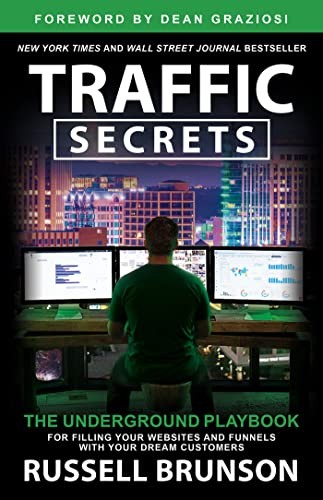
Russell Brunson calls these places your Dream 100 in Traffic Secrets... the places your audience already spends its time.
Traffic Secrets

Traffic Secrets by Russell Brunson teaches how to drive traffic to your business using proven marketing strategies, social media, and paid ads.
I may earn a commission if you make a purchase, at no additional cost to you.
Hosting one works the other way too: every speaker shares their session, and many link to it. Here's how to host a virtual summit of your own.
Build relationships before you ask
People link to people they know. Building relationships with influencers takes the same skills as link outreach, and a link from a friend never needs a cold email.
Work the link gap
The sites in your link gap already link to your competitors. Send them something better than what they link to now, not a request for a favor.
Fix other people's broken links
Find a page in your topic with dead links using the broken link checker, then offer your page as the replacement. The writer gets a fix, and you get a link.
Write guest posts, done right
A guest post on a relevant site can send readers and a link. Keep that link natural: your name or a plain description, never a keyword stuffed into the sentence.
Google's spam policies name these as link spam, so skip them all:
- Buying or selling links, or trading products or services for them
- Swapping links with other sites just to link to each other
- Keyword-stuffed anchor text in guest posts, articles and press releases
- Low-quality directories and bookmark sites
- Links hidden in widgets, themes or footers spread across many sites
- Programs that create links for you automatically
When to check your backlinks
A monthly check is enough for most sites. Check sooner after any of these:
- You moved or rebuilt your site – old addresses that other sites link to need redirects.
- You published something you pitched – see who picked it up.
- Your rankings dropped – lost links are one of the first things to rule out.
- A competitor jumped ahead – their new links show what they did.
Every report you run stays open free for a week, so checking again within the week costs nothing.
When a paid backlink tool is worth it
This checker shows the best link from 100 sites and 24 months of history, free. A paid tool is worth it when you need more than that:
- Every link – millions of rows for a big site, not the top 100.
- Alerts – an email when you gain or lose a link.
- Longer history – for a site older than two years.
- Many sites a day – for an agency checking clients.
The paid tools I'd look at are at the end of this page.
Who is the backlink checker for?
It's for anyone who wants more people to find their site through other sites:
- How to start a blog – bloggers who want their first links from other writers
- How to make money blogging – bloggers turning traffic into income
- How to host a virtual summit – summit hosts checking which speakers linked their sessions
- Influencer marketing – brands tracking the links their partners give them
- SEO checker – site owners fixing a page before building links to it
- Website rank checker – founders comparing how popular their site is with a competitor's
Whatever your site, the report shows where you stand in about 10 seconds. Pair it with the keyword generator to choose the searches your links should help you win.
After you check your backlinks
These free tools pick up where the report leaves off:
| Tool | Use it when |
|---|---|
| Redirect checker | You've added redirects for broken backlinks |
| Broken link checker | You want the dead links on your own site, or on a page you'll pitch |
| Spam score checker | Your spam-free links bar is low |
| Keyword generator | You're choosing what to write next |
| SEO checker | A page has links but still doesn't rank |
| Website rank checker | You want to compare how popular sites are, not their links |
Take it further


Find who to email

Then fix what it found
Backlink Checker FAQs
Questions about checking backlinks? Here's what to know.
It's a tool that finds the links pointing at a site from other sites.
This one also shows how strong they are and what to fix first.
It's a link on someone else's page that points to a page on your site.
Google uses links to find pages and to judge what they're about.
Type your site into the backlink checker at the top of this page, then click Check backlinks.
Start with What to do first, then work through the tables.
It's a site with at least one link to yours.
One site linking to you 500 times is 500 backlinks, but one referring domain.
Referring domains, in most cases.
Links from many different sites say more than many links from one.
It's how strong a site's links are overall, from 0 to 100.
More links from strong sites raise it.
Each tool crawls the web on its own and scores sites its own way.
Compare sites inside one tool, never a number from one tool with another's.
There's no fixed number.
Check the pages that rank for your keyword, and aim for as many relevant linking sites as they have.
It comes from a relevant, trusted site, sits inside the content and uses natural words.
It was also earned, not bought.
It's a link marked rel="nofollow", which tells Google the site doesn't vouch for the page it links to.
Google also uses sponsored for paid links and ugc for comments and forum posts.
They pass little authority, but they still send visitors.
A mix of follow and nofollow links is normal for any site.
It's a link from another site to a page on yours that no longer exists.
It passes nothing until you redirect that page.
Add a 301 redirect from each missing page to the closest live page.
Then check it works with the redirect checker.
Pages get redesigned, and sometimes a whole site goes offline.
A short, polite note to the writer often brings the link back.
Yes, type their site instead of yours.
Add them as competitors under your own site to get the link gap too.
It's the sites that link to your competitors but not to you.
They already write about your topic, so they're the best place to start outreach.
Yes, pick This page only before you check.
You can also check a domain without its subdomains.
No, Google treats buying or selling links for ranking as link spam.
A bought link can cost you more than it gives.
Usually not, because Google ignores most spammy links on its own.
The spam score checker shows when a disavow file is worth it.
Yes, it's free, with no sign-up.
You get three new reports a day, and any report you've run opens free for a week.
I did. I'm Navid Moazzez, and I made the backlink checker as one of my free tools on navid.me.
You can read more about me.
Navid Moazzez
AI business strategist & AI OS builder
Navid Moazzez helps creators and founders master AI and build their own AI Operating System (AI OS) to automate their business and life.
Navid.me is reader-supported. When you buy through links on this site, I may earn an affiliate commission. Learn more.
More free tools


 X
X Bluesky
 LinkedIn
 Threads

 Mastodon
 Instagram
 TikTok
 Pinterest
Related MCP servers & CLIs


 Substack


 Apple Podcasts
 Free AI newsletter
The most actionable AI newsletter for founders
Every week, get proven AI strategies, curated tools, and step-by-step systems to grow your audience, create better content, and build a profitable creator business.
No fluff, no filler, no BS. Just five minutes each week that might level up your online business and life.
P.S. Sign up now to get free access to my ultimate AI tools guide for creators.


