
What is a vibe creator? (And how to become one)
What a vibe creator is, how it differs from a vibe coder, and the 7 steps I'd follow to become one without writing a line of code.

A vibe creator builds the tools, sites and systems behind their business with AI, without writing a line of code themselves.
I'm one. I don't write code, and I've built over 450 free tools (and a few premium ones), my own sites, 23 open source MCP servers and the AI Operating System (AI OS) I run my business on.
I even replaced the software my business ran on for years, like Kit, ThriveCart, WordPress, ClickFunnels and Circle, with apps I built myself.
Here's what building every day looks like, live from my GitHub and Claude Code:
5,778 contributions on GitHub in the last year
In this guide, I'll show you:
- What a vibe creator is, and where the word comes from
- How a vibe creator differs from a vibe coder
- 8 real examples of what I've built, with links you can open right now
- The 7 steps to become one, with the exact setup and the tools I use
- The myths, the common mistakes, and what can go wrong
Every example comes from my own business, and every free tool I mention is live on this site.
 TL;DR
TL;DRKey takeaways
What is a vibe creator?
A vibe creator is a creator or founder who builds the tools, sites and systems behind their business with AI, by describing what they want in plain English, without writing a line of code themselves.
You bring the ideas, the taste and the judgment.
The AI writes the code, runs it, and fixes it when you tell it what's wrong.
A vibe creator directs, and AI builds. What used to take a dev team now takes a clear idea, good context and a careful eye.
Five things make someone a vibe creator:
- They build for their own business – tools their audience uses, the site they sell from, the systems they run on
- They describe instead of code – plain English in, working software out
- They ship – what they build goes live on their own site, not into a folder of demos
- They own it – their code, their data and their domain
- They check it – every result gets tested before anyone else sees it
So a vibe creator builds for the business they already have: the audience, the offers and the content.
The rise of the vibe creator
"Vibe creator" grows out of vibe coding.
Andrej Karpathy, one of OpenAI's founding members, named vibe coding on February 2, 2025:
There's a new kind of coding I call "vibe coding", where you fully give in to the vibes, embrace exponentials, and forget that the code even exists.
It spread fast.
Merriam-Webster added it to its slang and trending words, and Collins Dictionary made vibe coding its Word of the Year 2025.
Then "vibe" turned into a prefix. Within weeks, marketers were calling AI-run marketing "vibe marketing".
Bia Granja, who co-founded the creator economy company YOUPIX in Brazil, wrote about the vibe creator in April 2025:
The Vibe Creator is a new archetype in the Creator Economy, someone who creates guided by intuition, aesthetics and flow, using AI to remove technical friction and experiment in smoother, lighter ways.
In her essay, a vibe creator uses AI to make things with less friction.
I use the word for creators who go one step further and build the tools, sites and systems behind their business.
A year after his first post, Karpathy described what vibe coding becomes when the work matters:
Today (1 year later), programming via LLM agents is increasingly becoming a default workflow for professionals, except with more oversight and scrutiny. The goal is to claim the leverage from the use of agents but without any compromise on the quality of the software.
His name for it is agentic engineering.
That second part, the checking, is the one that matters most when the work carries your name.
So a vibe creator needs both: the speed of vibe coding, and the checks of agentic engineering.
Vibe creator vs vibe coder
Both use the same AI agents.
But the goal is different, and so is how much the AI knows about your business.
- Vibe coder
- Build a piece of software
- Vibe creator
- Grow and run a creator business
- Vibe coder
- Apps and prototypes, often to sell
- Vibe creator
- Tools, sites and systems for their own audience and work
- Vibe coder
- Developers, founders and hobbyists
- Vibe creator
- Creators, coaches, experts and founders
- Vibe coder
- The prompt in front of it
- Vibe creator
- Their voice, brand, offers and audience, from their AI OS
- Vibe coder
- Run it and see if it works
- Vibe creator
- Test it in the browser, then save what worked as a skill
In its strictest sense, vibe coding means accepting what the AI wrote without reading it.
A vibe creator checks what came back before anyone else sees it.
Vibe creator examples: what I've built
For most of the years since 2013, a designer or developer built everything on my site.
Today I build it myself with AI agents, mostly Claude Code.
Here are 8 examples, all live.
1. My own site, navid.me
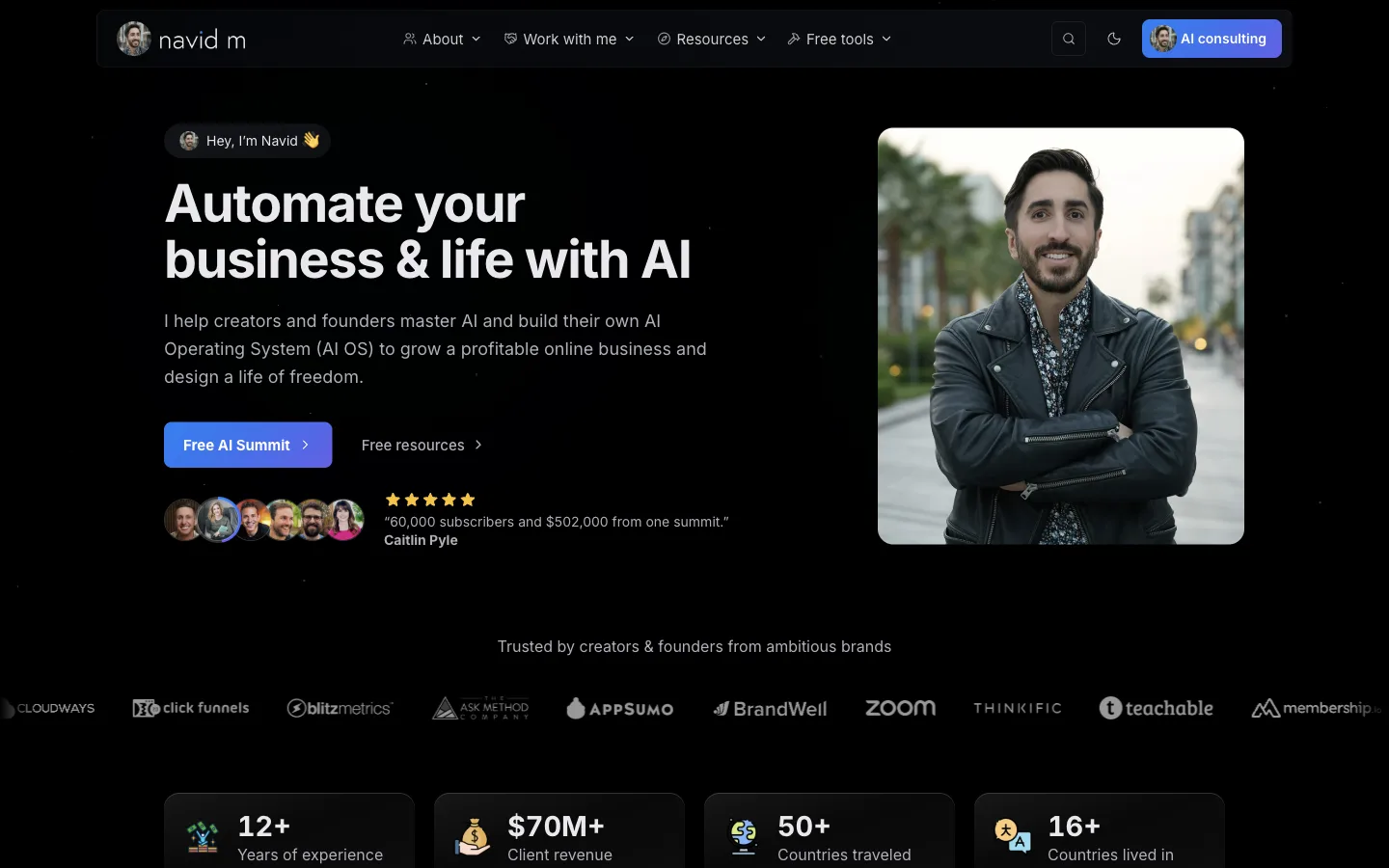
My site ran on WordPress for most of those years.
Today navid.me is a site I built with Claude Code, on my own CMS, where I write every post and tool guide. I started it on April 4, 2026, and it has had over 370 commits since.
2. Over 450 free tools
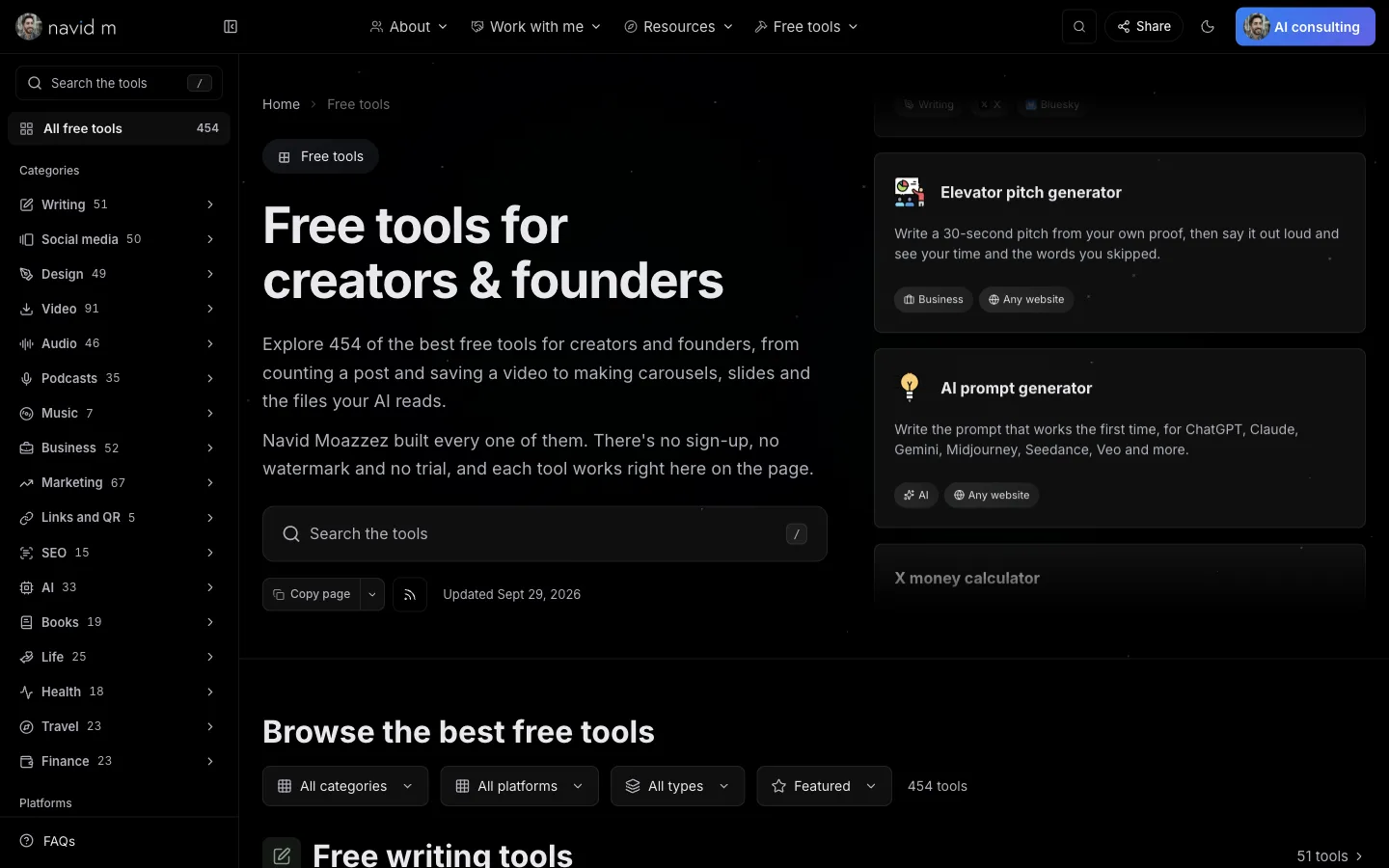
Calculators, generators, checkers, downloaders and converters, each with a guide written from how I use it.
Many of the tools share one screen. For example, one downloader screen runs 30 downloaders, and one image screen runs 26 converters. So a new tool is often a new page on a screen that already works.
And most of them run in your browser, so they cost me nothing per visitor.
3. A lead magnet generator
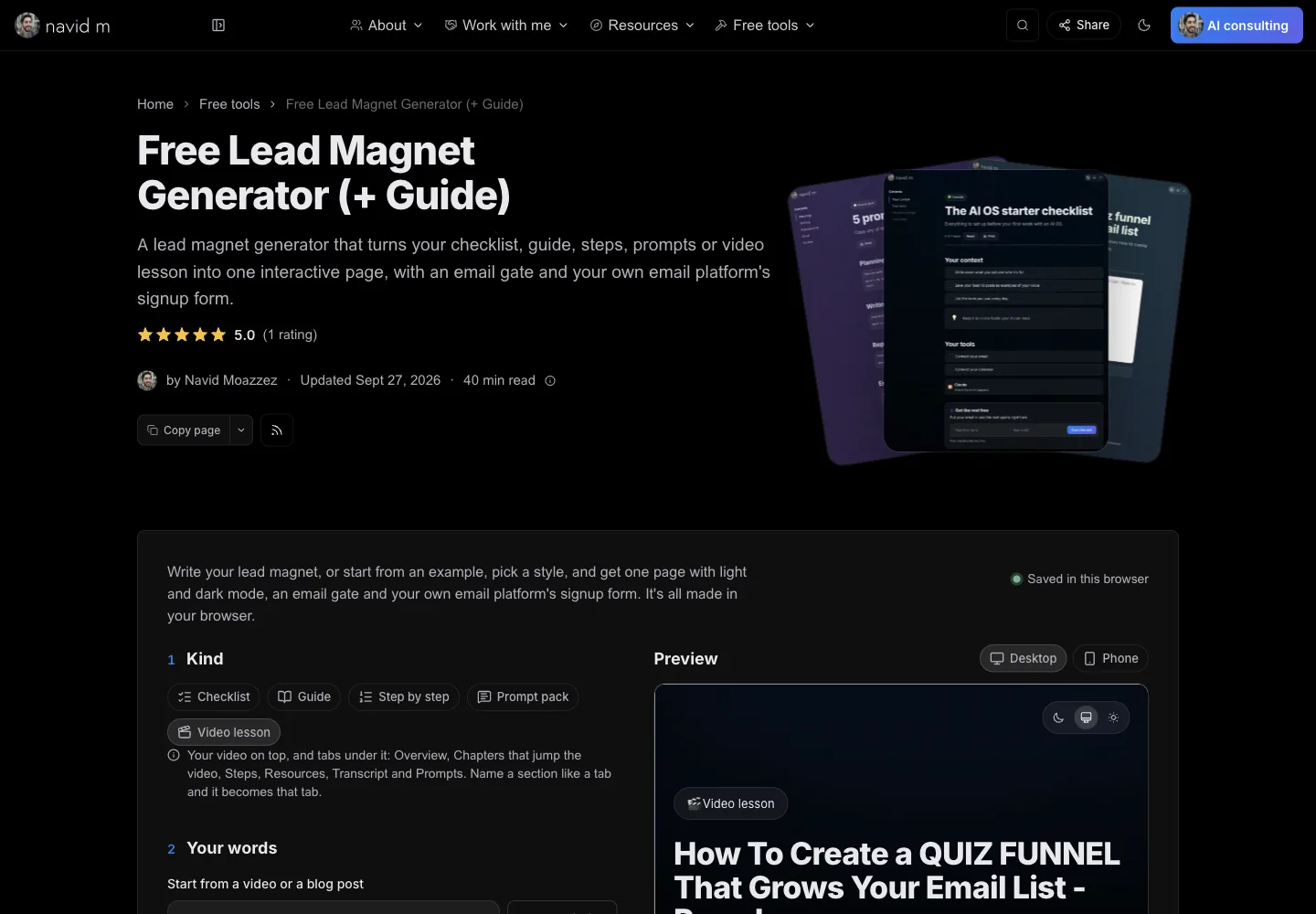
It turns a checklist, a guide, a prompt pack or a video lesson into one interactive page, with light and dark mode, an email gate and your own email platform's signup form.
It's all made in your browser, and I built it in two days.
4. A background remover that runs on your computer
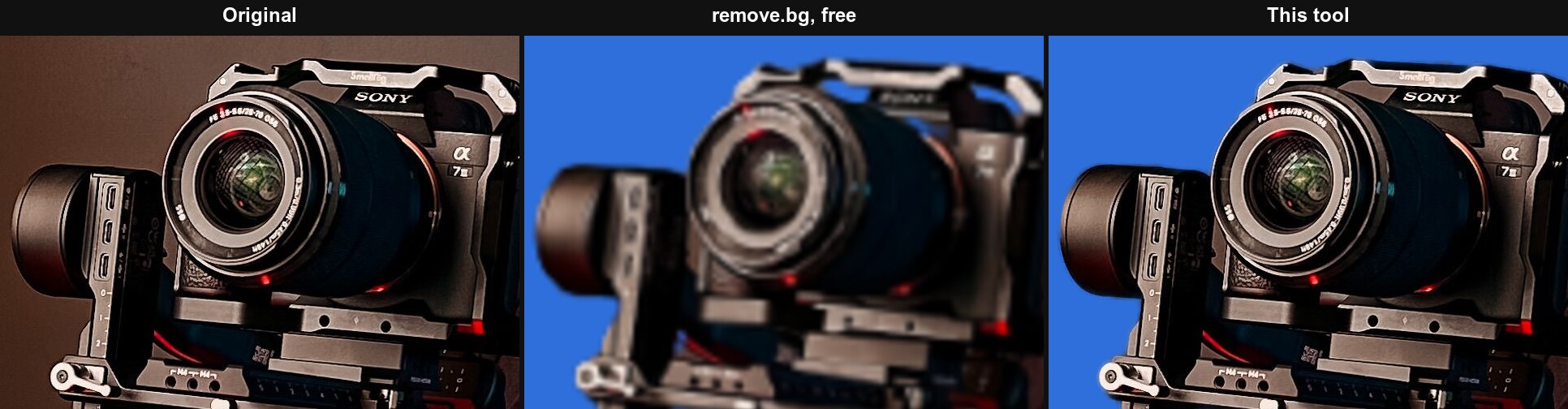
It cuts people, pets and products out of a photo at the photo's full size, and the photo never leaves your computer.
Three AI models download to your browser once, then do the work on your own device. So it costs me nothing to run, however many people use it.
5. A bio generator for 14 platforms
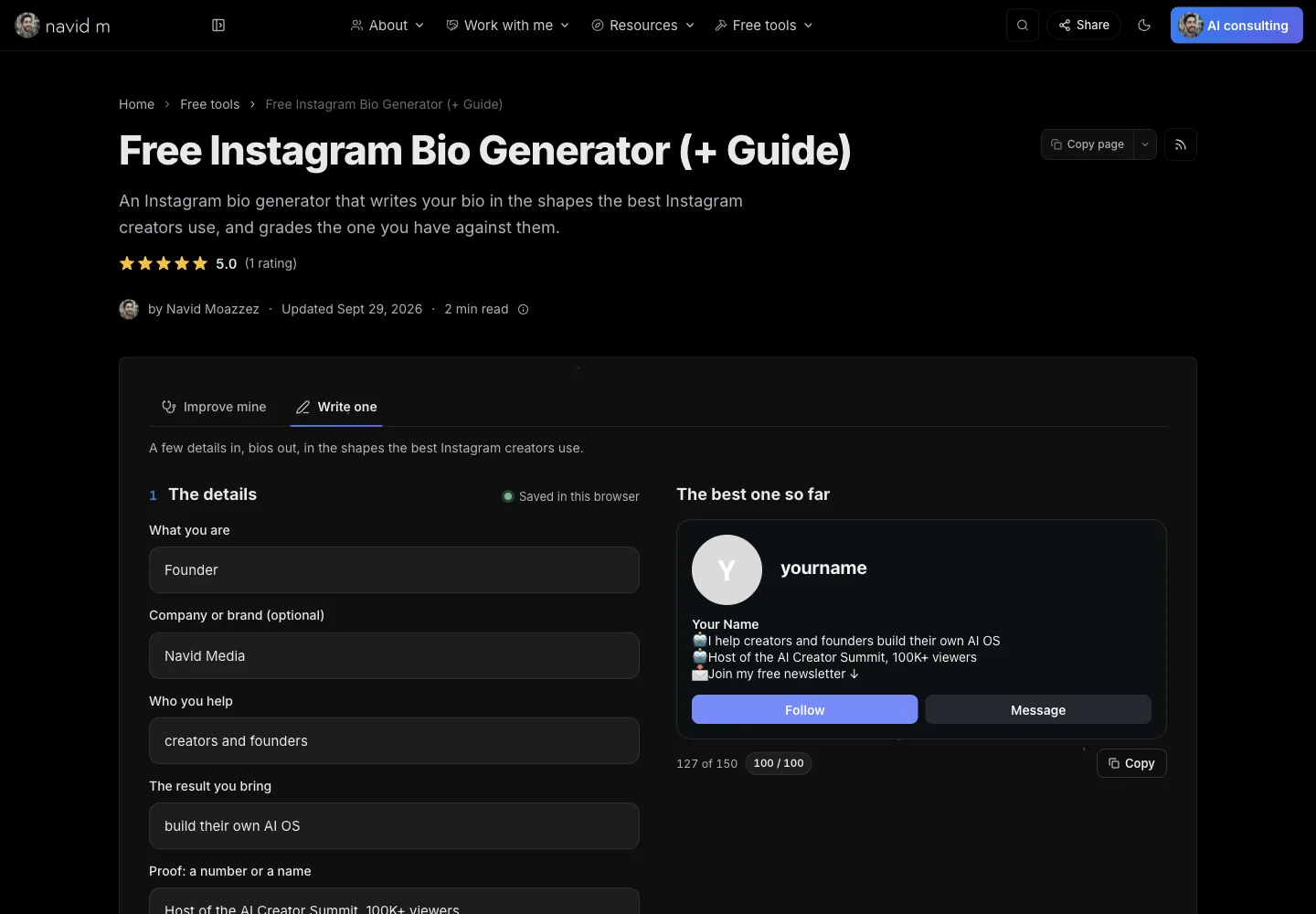
It writes your bio in the shapes the best creators on a platform use, and grades the one you have.
One screen runs 16 bio and headline generators, for Instagram, TikTok, LinkedIn, GitHub and 10 more platforms. Each one knows its platform's limits, read from the platform's own help pages.
6. A whiteboard and a diagram maker
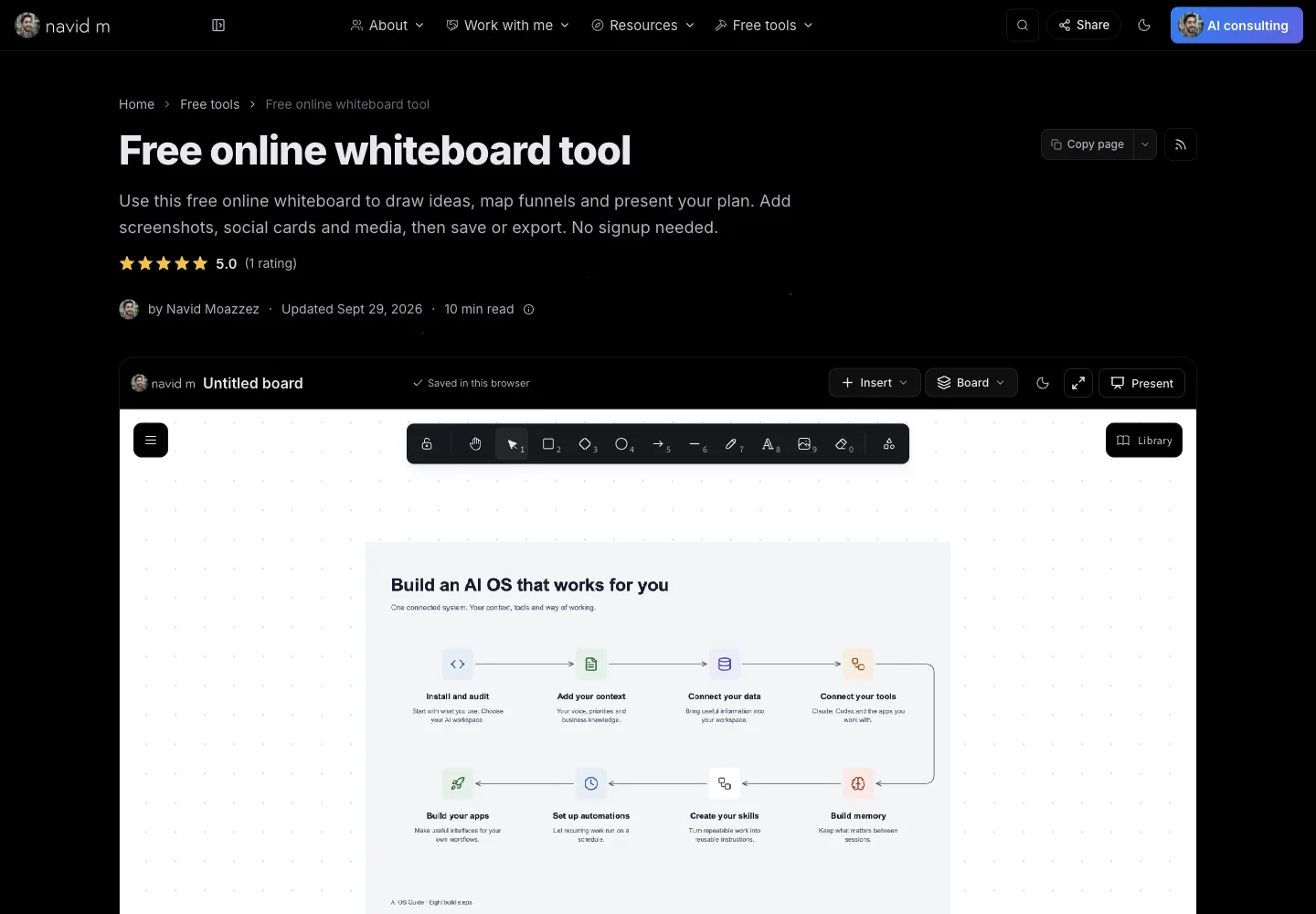
The whiteboard is built on Excalidraw, the open source drawing tool, with photos, videos, music, icons, brand logos and presentation frames added. It exports to PNG, PDF, PowerPoint and a web page.
The diagram on it came from my Diagram Maker, which has 32 editable layouts. One click sends a diagram to the whiteboard.
I built the whiteboard in two days, and the Diagram Maker in one.
7. 23 open source MCP servers
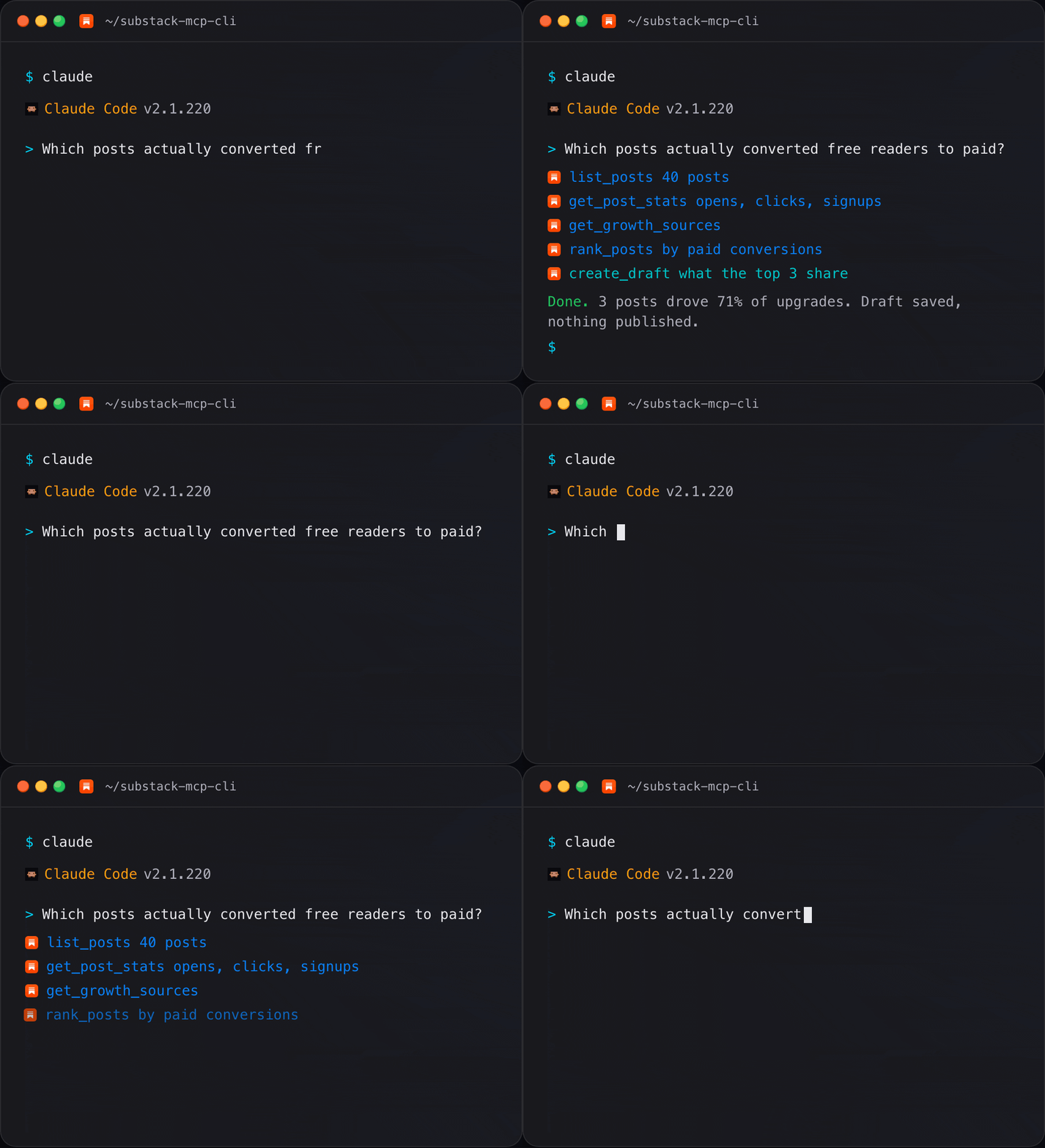
An MCP server lets an AI agent like Claude Code use an app for you: read your posts, check your numbers, draft a reply.
I've built 25 of them. 23 are open source on GitHub, for apps like Substack (65 tools), Telegram (74), Mastodon (76), WordPress (42), YouTube (16) and Apple Photos (13).
8. My AI OS
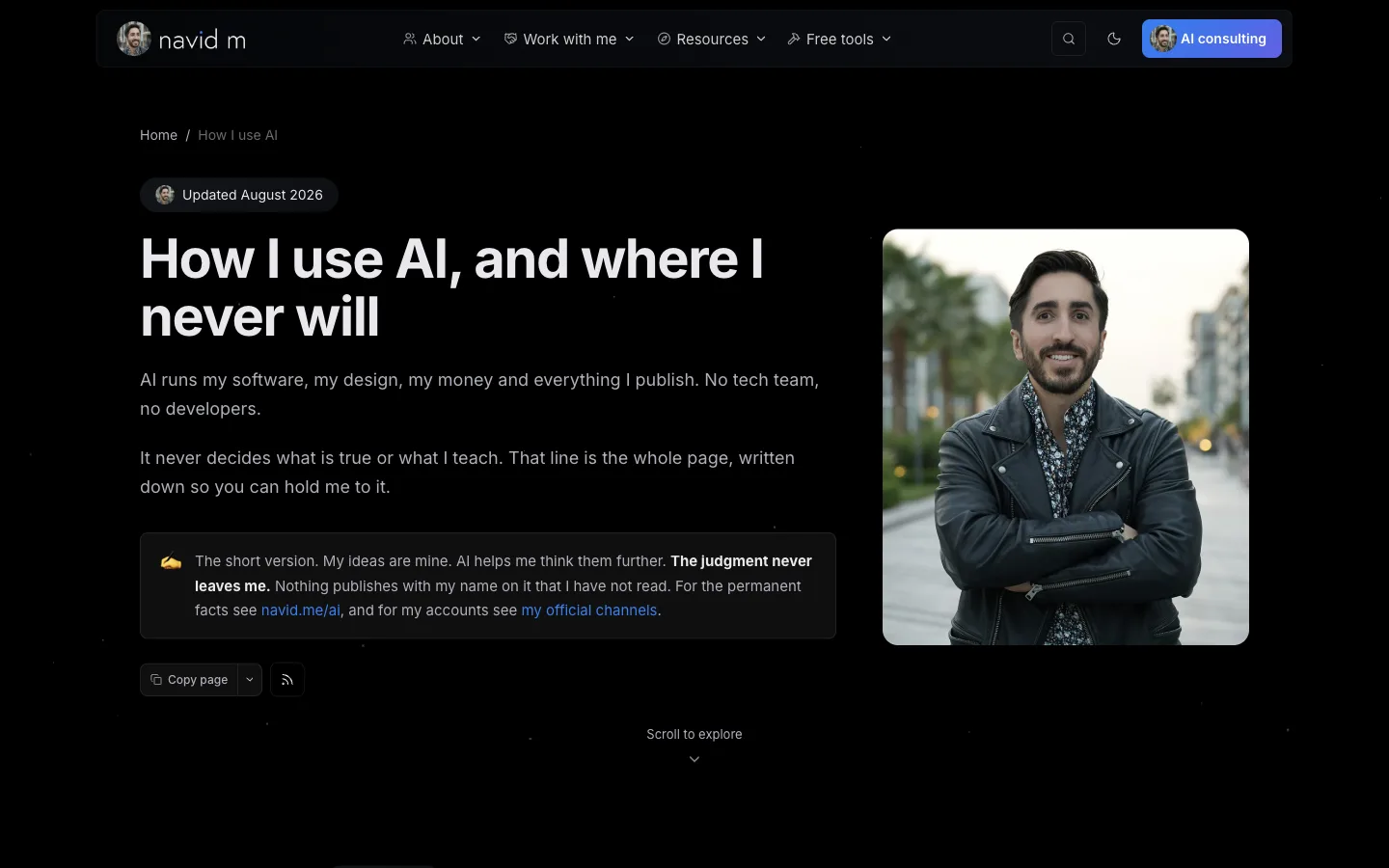
My AI OS is the folder of context and skills Claude Code reads before it does anything for me: who I am, my brand, my voice and my offers.
It has 189 skills in 15 plugins today, for YouTube, X, LinkedIn, newsletters, podcasts, SEO, writing and more.
Behind these, my business runs on apps I built too: my own CRM in place of Kit, my own checkout in place of ThriveCart, my own CMS in place of WordPress, and my own members area in place of Circle.
They all live in one dashboard I call HQ, with 303 pages.
Why become a vibe creator?
A lot of my system started as small tools I built for my own work: counting a post before it goes out, tagging links, pulling transcripts, getting pages ready for AI search.
Then I turned the simple versions into free tools anyone can use in a browser.
And three things started to happen.
Your tools bring people to you
Every free tool is a page people search for.
And each one comes with a guide written from how I use it, so someone who came for a calculator meets the rest of my work.
You own what you build
When the software is yours, you decide what it does, what it looks like and what it costs.
Kit, ThriveCart, WordPress, ClickFunnels and Circle all did jobs in my business. Today my own CRM, checkout, CMS, sites and members area do those jobs.
Every build makes the next one faster
What worked on one build becomes a skill in my AI OS, so the agent starts the next build from there instead of from zero.
Building can also pull you away from the work that pays.
So before you build anything, ask whether it will bring people in, save you hours every week, or replace something you pay for.
If it does none of those, skip it.
Deciding what to build, what is true and what to teach is the same job it always was. It got scarcer as everything around it got cheaper.
How to become a vibe creator
Here are the 7 steps I'd follow if I were starting today:
Step 1: Pick one tool you'd use yourself this week
Start with something you do by hand every week.
For example, mine were counting a post before it goes out, tagging links and pulling transcripts.
Keep it small.
A tool you use yourself gets tested every day, and you already know what "working" looks like.
Good first builds for a creator: a calculator for your niche, a checklist your clients fill in, or a generator that turns your framework into a template.
Step 2: Set up Claude Code or Codex
There are two kinds of tools for this.
Browser builders like Lovable, Replit, Bolt and Google AI Studio build an app in a browser tab. Vibecode does it on your phone. They're the easiest way to try it.
AI agents like Claude Code and Codex work in the files on your own computer. That's where I build almost everything, because the agent can reach my sites, my CMS and my AI OS.
The easiest way in is the desktop app. Claude Code runs in the Claude desktop app on Mac, Windows and Linux, so you never have to open a terminal. Codex runs inside the ChatGPT desktop app.
If you'd rather use the terminal, this is Anthropic's official install for Mac, Linux and WSL:
Terminalcurl -fsSL https://claude.ai/install.sh | bash
And for Windows, in PowerShell:
PowerShellirm https://claude.ai/install.ps1 | iex
Then go to the folder you want to work in, and start it:
Terminalcd my-first-tool
claude
The first time, you sign in with your Claude account. Claude Code needs a paid plan (Pro, Max, Team or Enterprise) or an API account. I use two Max plans.
For Codex, the terminal version installs with npm:
Terminalnpm install -g @openai/codex
Step 3: Give the AI your context
Every AI agent starts a session knowing nothing about you.
Context is what turns a generic build into yours: your voice, your brand, your offers and your audience.
I keep mine in my AI OS.
Every agent reads a rules file first (CLAUDE.md for Claude Code, AGENTS.md for Codex), then the files about me, my company, my voice and my brand. I show how mine works in how I use AI.
Two of my free tools help here. The DESIGN.md generator writes the design rules your agent follows, and the Claude Code prompt generator turns an idea into a task prompt.
Step 4: Describe the result, then build the smallest version
Describe what the finished tool does for the person using it, in plain English.
Say who it's for, what they put in, what they get back, and how you'll know it works.
Then ask for the smallest version first: one screen that does one job. Add to it once that works.
Step 5: Test it in the browser yourself
Open it and use it the way a visitor would: on your laptop and your phone, in light and dark mode, with real inputs.
When something is off, describe what you saw.
For example, "The button does nothing on my phone" is enough for the agent to find it.
Before any of my tools goes live, it gets opened in a real browser.
Step 6: Put it on your site
Give each tool its own page with a guide under it: what it is, who it's for and how to use it.
That's how all of my free tools work.
The guide is what search engines and AI assistants read to understand the tool.
Step 7: Save what worked as a skill
A skill is a set of saved instructions your agent loads when a job matches it.
After a build, save the steps that worked and the corrections you had to make.
For example, my AI OS has skills for YouTube titles and thumbnails, newsletters, X, LinkedIn and SEO, so none of those jobs starts from a blank page.
The tools I use
Here's the stack behind everything above:
| Tool | What I use it for |
|---|---|
 Claude Code Claude Code | My main AI agent, for building and running almost everything |
 Codex Codex | My second AI agent |
 GitHub GitHub | The code for every project. My MCP servers, CLIs and some other tools are open source there |
 Supabase Supabase | The database, logins and file storage behind my sites, my CMS and HQ, and the data for every free tool |
 Vercel Vercel | Hosting for my sites |
 Cloudflare Cloudflare | Images, domains and DNS |
 Amazon SES Amazon SES | Every email my CRM sends |
 Stripe Stripe | Checkout on my sites |
Vibe creator myths
Here are the myths I hear most about vibe creators:
| Myth | What's true |
|---|---|
| You need to learn to code first | You need to know what you want, and to check what comes back. I don't write code. |
| AI builds a finished product from one prompt | Every build takes rounds: the smallest version first, then the fixes you describe after testing it. |
| Vibe-coded apps are just toys | My CRM and my checkout run my business every day, and over 450 of my free tools are live for anyone to use. |
| It's a get-rich-quick side hustle | A tool earns when it serves an audience you already have. It brings people to your work, and the work still has to be good. |
| You need expensive software | Claude Code comes with a paid Claude plan, and most of my tools run in the visitor's browser, so they cost nothing to serve. |
Common vibe creator mistakes
These are the mistakes that waste the most builds:
- Building for no one – decide who it's for and what they put in before you open the agent
- Asking for everything at once – one prompt for a full app gets you a pile of half-working features, so ask for one screen first
- Skipping the phone check – many visitors will open your tool on a phone, so test it there before it goes live
- Pasting keys into the code – API keys belong on the server, where no visitor can read them
- Rebuilding what you could buy – if a tool won't bring people in, save you hours or replace a bill, skip it
- Starting every build from zero – save what worked as a skill, or you'll explain the same things every session
What can go wrong, and how I handle it
Vibe coding has a reputation, and some of it is earned.
The research shows it:
Sabrina Ramonov puts the limit this way:
Vibe coding is terrific to get to that MVP, but if you decide to double down and commit, then it's like, okay, let's refactor the code, figure out how to properly architect this.
Here's what I do so my tools don't end up in those numbers:
- Nothing publishes as me unseen – agents draft and build, and I decide what goes out under my name
- Secrets stay on the server – API keys never sit in code a visitor can open
- The browser comes first – when a tool can run in your browser, it does, so there's less to leak and nothing to pay for per visitor
- AI features get limits – tools that call an AI model get rate limits and daily caps
- Every build gets opened in a browser – on desktop and phone, in light and dark mode, before it goes live
- Mistakes become rules – when something goes wrong, the fix goes into my AI OS, so the agent doesn't repeat it
FAQs about becoming a vibe creator
Here are answers to the questions people ask most about becoming a vibe creator.
A vibe creator is a creator or founder who builds the tools, sites and systems behind their business with AI, by describing what they want in plain English, without writing a line of code themselves.
The AI writes the code, and the creator decides what to build and checks the result.
No, you can become one without writing code.
You'll need to know what you want, give the AI your context, and test what it builds.
I don't write code, and I've built over 450 free tools this way.
A vibe coder uses AI to build software, often an app or a prototype.
A vibe creator uses the same AI agents to grow and run a creator business, with free tools for their audience, their own sites and the AI OS behind their work.
Tools for your audience, like calculators, generators and lead magnets, plus your own website and the apps your business runs on.
I've built over 450 free tools, my own sites, a CRM, a checkout and 25 MCP servers this way.
You need an AI agent like Claude Code or Codex, and somewhere to put what you build.
I use Claude Code for most builds, GitHub for the code, Supabase for data and logins, Vercel for hosting, and Cloudflare for images and domains.
If you'd rather stay in the browser, Lovable, Replit, Bolt and Google AI Studio build apps without a terminal.
If a terminal feels like too much, start with a browser builder like Lovable, Replit, Bolt or Google AI Studio.
When you want the AI to work across your own files and sites, move to Claude Code or Codex, which both run in a desktop app too.
I build almost everything with Claude Code.
The main cost is your AI agent's plan, plus hosting once you put things online.
Claude Code comes with a paid Claude plan, starting with Pro. I use two Max plans at $200 a month each.
Many of my free tools run in the visitor's browser, so they cost nothing to serve.
A small tool can take one session: describe it, build the smallest version, test it and fix what's off.
My lead magnet generator took two days, and my Diagram Maker took one.
Each build gets faster once you save what worked as a skill.
Yes, when what you build serves an audience you already have.
My free tools bring people to my work, and my own checkout sells my products on my sites.
What you build brings people to your offers, and the offers still have to be good.
It's safe when you check what the AI built.
In a 2025 scan of 1,645 apps built on Lovable, 170 had holes that could expose their users' data.
Test every build, keep secrets on the server, and never let an agent publish for you unseen.
Final thoughts on becoming a vibe creator
Building the tools, sites and systems your business runs on is now a creator skill.
AI handles the code. The judgment stays yours: what's worth building, what's true, and what goes out under your name.
Keep reading:
- What is vibe coding? – where the term came from, every tool worth knowing, and what it would cost with a dev team
- How I use AI – the setup behind everything in this guide
- Free tools – over 450 tools I built this way, free to use
Then pick one tool you'd use this week, and build it.
Navid Moazzez
AI business strategist & AI OS builder
Navid Moazzez helps creators and founders master AI and build their own AI Operating System (AI OS) to automate their business and life.
Navid.me is reader-supported. When you buy through links on this site, I may earn an affiliate commission. Learn more.
Similar articles
What is a token in AI? The 4 kinds and what each one costs
All 6 Claude Code permission modes, and what each one allows
All 118 Claude Code commands, and when to use each
How to install Claude Code: 8 ways, and which one to pick
What is vibe coding? (And how it works)
How to build an AI voice agent (step by step)
How to build an AI operating system (AI OS)
17 hidden Claude Code commands most people never find
How to set up VS Code for Claude Code (in one command)
What is Claude Code? What it does, where it runs and what it costs

How to make money with AI as a creator: 15 real ways (2026)
10 biggest AI lessons to 10x your creator business (2026)
Related free tools


 Instagram


 Free AI newsletter
The most actionable AI newsletter for founders
Every week, get proven AI strategies, curated tools, and step-by-step systems to grow your audience, create better content, and build a profitable creator business.
No fluff, no filler, no BS. Just five minutes each week that might level up your online business and life.
P.S. Sign up now to get free access to my ultimate AI tools guide for creators.


