

How to build an AI voice agent (step by step)
How I built two AI voice agents, one on ElevenLabs and one open source in my own voice, step by step, with every problem I hit.
 by Navid Moazzez·Updated Oct 3, 2026·38 min read·Navid.me is reader-supported. When you buy through links on this site, I may earn an affiliate commission. Learn more.





An AI voice agent is software that holds a spoken conversation: it listens, works out what you want, and answers out loud, on a website, in an app or on a phone line.
I've built two of them.
The first runs on ElevenLabs, in my cloned voice. The second is open source: a voice model I trained on 142 minutes of my own recordings, with Claude Code writing the code.
In a 16-question test call, my open-source agent started answering 1.35 seconds after each question, on average. My ElevenLabs voice, saying the same answers, started after 1.19 seconds.
In this guide, I'll show you:
- What an AI voice agent is, and how it works
- How to build one on ElevenLabs, step by step, with screenshots from my account
- How to build and change ElevenLabs agents from Claude Code, with their CLI and MCP server
- The other platforms worth knowing, each with its price
- The open-source agent I built, and the free Voicebox app
- How to build your own interface, like my NavidBot
- How to put your own voice in your agent, with recordings you can compare
- Every problem I hit, and how I fixed it
- What it costs, how to test it, and the mistakes to avoid
You don't need to code for your first agent. And every number here comes from my own tests, or from the company's own pages, read on October 2, 2026.
TL;DRKey takeaways
What is an AI voice agent?
An AI voice agent is an AI you talk to out loud, the way you'd talk to a person on the phone.
You speak, it understands, and it answers in a natural voice. It can also do things during the call, like book a meeting, look up an order or pass you to a person.
For example, a voice agent can:
- Answer your phone – pick up every call, answer common questions and book appointments, day and night
- Talk on your website – a call button on your site that answers from your own pages
- Make calls – reminders and follow-ups, to people who agreed to get them
- Speak as you – answer questions in your own voice
That last one is what I built. My agent answers questions about AI and the creator economy, in my voice.
A voice agent is close to a chatbot, except you talk instead of type. ElevenLabs agents can take typed messages too, and mine does.
And a phone menu makes you press 1 or 2. A voice agent lets you say what you need in your own words.
Why build an AI voice agent?
Build one when people already want to talk to you, and you can't answer every time.
For example, that could be a business that misses calls after hours, a coach who gets the same questions every week, or a site where visitors would rather ask than search.
An AI receptionist pays off where calls already go unanswered. So check that first.
And it's cheap to try. ElevenLabs' free plan includes 15 minutes of calls a month, and LiveKit's free plan includes 1,000 agent minutes.
How does an AI voice agent work?
Every voice agent runs the same loop, over and over, until the call ends:
So the agent has ears (speech to text), a brain (the AI model) and a mouth (text to speech).
And the ears and the mouth are the parts you can try for free on my site.
Here's my free speech to text tool on a 22-second clip of my podcast intro:
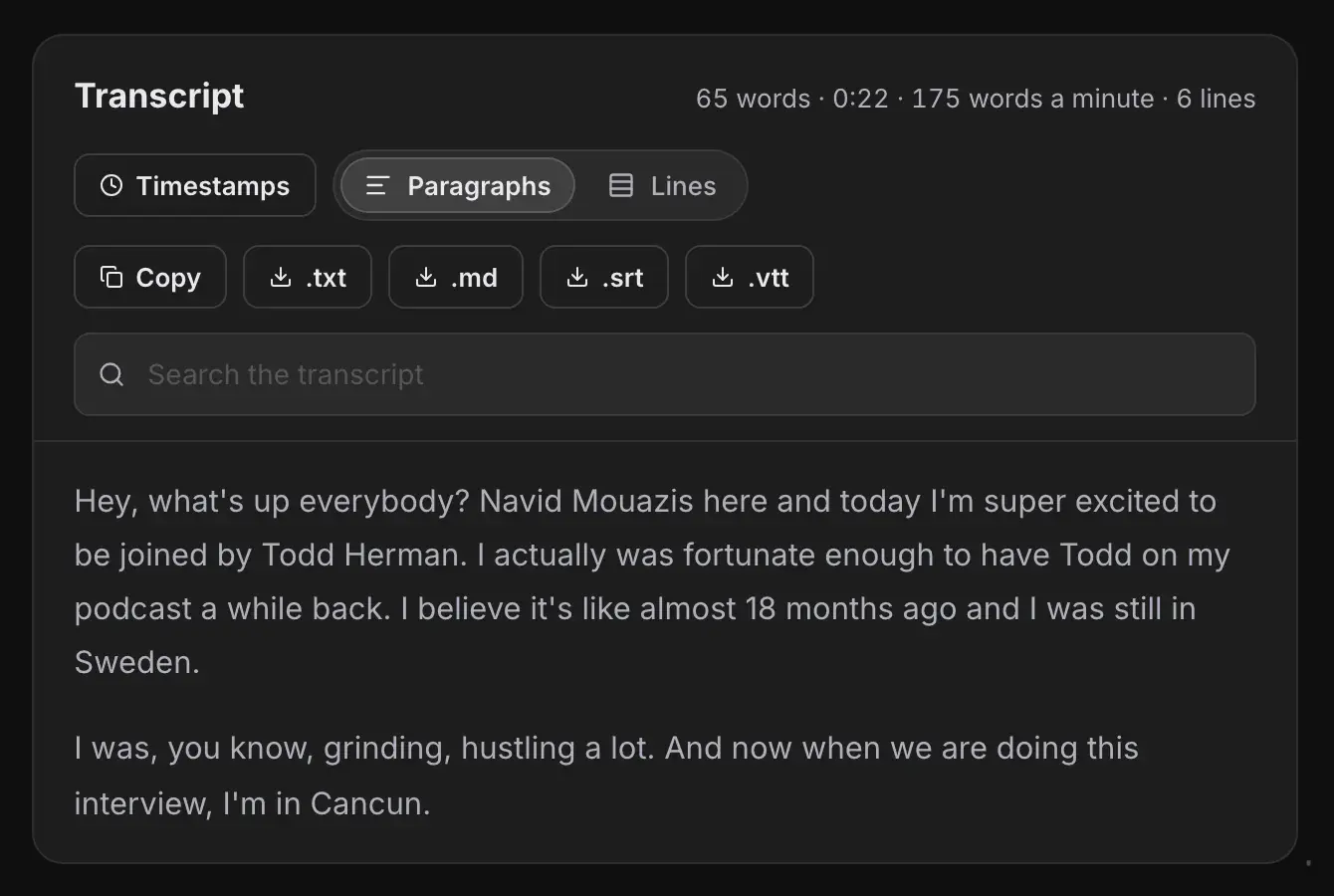
And here's my free text to speech tool reading an agent's first line in one of its 15 voices:
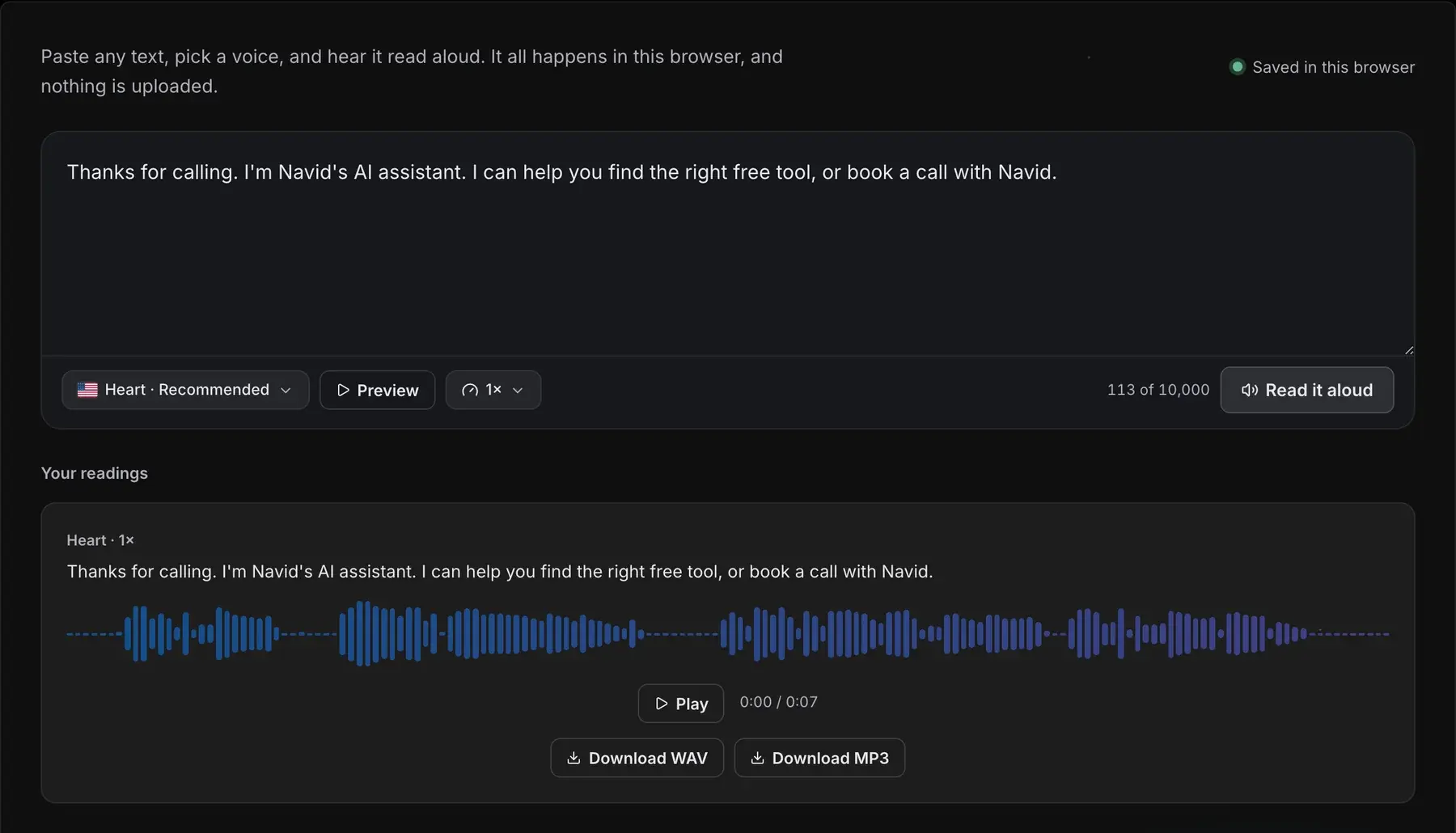
Both can run entirely in your browser, so nothing you type or record has to leave your device.
Speed is the hard part
On a call, every pause shows. So each part of the loop has to be fast.
This is where the time went in my five-question test call, on average, before the first word of each answer:
Where the time goes before the first word (seconds)
My test call, 5 questions, Sep 30, 2026 · Average per answer. Hearing and thinking were the same for both voices.


So each answer started about 1 second after the question: 1.00 seconds with my voice model, and 0.89 seconds with ElevenLabs.
Listen to that call yourself. Both versions went through a phone-line filter, so you hear them the way a caller would:
Two things make that possible:
- Streaming – the voice starts speaking while the rest of the answer is still being made
- Fast models – a quick AI model with little thinking, and a voice model built for real time
ElevenLabs' own docs give the same advice: pick a low-latency model, and keep its thinking low, because extra thinking delays the reply.
Names are the weak spot
Speech to text gets most words right. Names are where it slips.
For example, my speech to text tool wrote my name as "Navid Mouazis" in the clip above. And in my test call, it heard "Hi Navid" as "Hi, David".
The fix is a list of the names your agent must hear, which I'll show you in step 8.
3 ways to build an AI voice agent
There are three ways to build one:
- How it works
- You fill in settings in a dashboard
- Best for
- Your first agent, and most businesses
- How it works
- Code joins the parts, and you pick each one
- Best for
- Full control, high volume, your own models
- How it works
- One model hears and speaks
- Best for
- Fewer moving parts
- Examples
- OpenAI Realtime, Gemini Live
I'd start with an all-in-one platform. You can have a working agent the same day, and you'll learn what matters before you write any code.
How to build an AI voice agent with ElevenLabs (step by step)
ElevenLabs is where I'd start, and it's what my own agent runs on.
It has over 5,000 voices, cloning for your own voice, and everything else an agent needs in one dashboard.

- Price
- Free, then from $6 a month
- Calls included
- 15 minutes free, 275 on Creator ($22)
- Extra minutes
- $0.08 a minute, plus the AI model
ElevenLabs Agents puts speech to text, an AI model, text to speech and turn-taking in one place, and puts your agent on a website, in an app or on a phone line.
- A working agent with no code: prompt, voice, model, test, publish
- Over 5,000 voices, and your own clone (instant from Starter, professional from Creator)
- A website widget, mobile SDKs, Twilio and SIP phone lines, and batch calls
- A CLI, an MCP server and skills for building from Claude Code
- The AI model is billed on top of the call minutes, from your credits
- Past your plan's minutes, it's $0.08 a minute, and $0.16 for calls over your limit
 Visit ElevenLabs
These are the 11 steps, from a new account to a phone number:
Step 1: Create a free ElevenLabs account
Go to ElevenLabs and sign up.
The free plan includes 15 minutes of calls a month, and four calls at once. That's enough to build and test your first agent.
Then open Agents. ElevenLabs calls this part of its platform ElevenAgents.
Step 2: Create a new agent
Click to create a new agent, and pick a template.
ElevenLabs has a blank template, and templates for common jobs. You pick what the agent is for, give it a name, and you can add your website so it reads your pages.
Pro tip Start with the blank template for your first agent. You'll see every setting, and you'll know what each one does when you use a template later.
Step 3: Write the first message and the system prompt
The first message is the first thing your agent says when a call starts.
Keep it short, and say it's an AI. This is my agent's first message:
My agent's first messageHey there! I'm Navid's AI digital mind, trained on everything I know about AI, the creator economy, and building businesses online. What can I help you with?
The system prompt tells the agent who it is and how to behave.
ElevenLabs' own guide splits it into six parts: personality, environment, tone, goal, guardrails and tools. My agent's prompt has a heading for each part I needed: Personality, Goal, Tone, Guardrails, Formatting and Language support.
Start from this template. Fill in the [brackets], or open it in an AI tool and let it ask you the questions:
Voice agent system prompt# Personality
You are [name], the voice assistant for [business]. You speak in the first person, warm and direct, like a helpful friend.
# Environment
You're on a live voice call [on a website / on the phone]. The caller can't see any text.
# Tone
Keep most answers to 1 or 2 short sentences. When the caller asks you to walk them through something, use 3 to 5 sentences.
Spoken words only: no lists, no markdown, no emojis, no dashes.
Say numbers, prices and web addresses the way you'd say them out loud.
# Goal
Help callers with [main job, for example questions about my courses], and [action, for example book a call] when they're ready.
# Guardrails
Never invent prices, names or numbers. If you don't know, say so, and offer [fallback, for example an email address].
If someone asks whether you're an AI, say yes.
If the caller asks for a person, [transfer them / give them the contact details].
# Tools
Use [tool name] to [what it does] when [when to use it].
Use end_call when the caller says goodbye.
These prompt rules make a voice agent sound more natural:
- Write for the ear – spoken words only, and no lists, markdown or dashes, which sound wrong read aloud
- Keep answers short – one or two sentences, and more only when the caller asks to be walked through something
- Show how you talk – add an example of a stiff answer next to the way you'd say it
- Make the personality something you can hear – for example, starting sentences with "and", "but" or "so", and asking again when it didn't catch something
- Ban made-up facts – no prices, names or numbers it doesn't know
Step 4: Pick the voice and the voice model
Open the Voice tab and pick a voice from the library, or your own clone. I'll show you how to clone yours further down.
Then pick the voice model. Each one has its own speed and its own languages:
- Speed
- About 100 ms
- Languages
- 90+
- Use it for
- Agents: ElevenLabs' real-time version of v4
- Speed
- About 75 ms
- Languages
- 32
- Use it for
- Agents: the fastest, and half the price per character on the API
- Speed
- About 280 ms
- Languages
- 70+
- Use it for
- Agents that need more expression
- Speed
- Fast
- Languages
- English only
- Use it for
- English-only agents
- Speed
- Recorded audio
- Languages
- 90+
- Use it for
- Audiobooks, voiceovers and dialogue
- Speed
- Recorded audio
- Languages
- 29
- Use it for
- Long reads, the most stable
ElevenLabs recommends v4 Turbo for agents, and calls Flash v2.5 ideal for its agents platform.
My agent runs my professional voice clone on Flash v2, with stability at 0.6, similarity at 0.85 and speed at 1.0. Stability is how steady the voice stays, and similarity is how close it sticks to the original.
Watch out When I checked my own agent for this guide, its prompt said it speaks 32 languages. But Flash v2 speaks English only, and the language detection tool was off. If you want more than one language, add the languages in the agent's settings, turn on language detection, and pick a multilingual model like Flash v2.5 or v4 Turbo.
Step 5: Pick the AI model
The AI model is the brain: it reads what the caller said and writes the answer.
ElevenLabs lets you pick its own hosted models, Google's Gemini, OpenAI's GPT or Anthropic's Claude, or connect your own model.
Pick a fast model, and keep its thinking low. My agent runs Gemini 2.5 Flash, at a temperature of 0.7. A lower temperature gives steadier, more predictable answers.
The model's cost is shown in the platform, and it comes out of your ElevenLabs credits, on top of your call minutes.
You can also set a backup model, so your agent keeps working if the first one fails. I learned why the hard way, in problem 13 below.
Step 6: Add a knowledge base
A knowledge base is what your agent knows beyond its prompt: your pages, your files, your notes.
Add a web address, upload a file or paste text. For a big knowledge base, turn on RAG, so the agent looks up only the parts it needs for each question.
For example, add your FAQ page, your pricing page and your about page.
My own agent has no knowledge base yet. Its prompt tells it not to make up tools or numbers, so it says it doesn't know instead.
Step 7: Add tools
Tools let your agent do things during a call.
ElevenLabs has system tools built in: end the call, detect the language, transfer to another agent, transfer to a phone number, skip a turn, detect voicemail, and press keypad tones.
You can also add webhook tools, which call your own systems, for example to book a meeting, and MCP servers.
My agent uses one tool: end call, so it can hang up politely when the caller says goodbye.
Step 8: Set how it takes turns, and teach it names
These settings decide when your agent talks, and when it waits. ElevenLabs recommends these:
- What it does
- How long it waits before speaking up, 1 to 30 seconds
- ElevenLabs recommends
- 5 to 10 seconds for casual calls, 10 to 30 when callers need time to think
- What it does
- Says a short filler while a slow answer loads
- ElevenLabs recommends
- 3 seconds
- What it does
- Lets the caller cut in
- ElevenLabs recommends
- On for a natural call, off when every word must be heard
- What it does
- Patient, normal or eager
- ElevenLabs recommends
- Eager for support, patient for collecting details, normal otherwise
- What it does
- Ends very long calls, 60 to 7,200 seconds
- ElevenLabs recommends
- The default is 600 seconds (10 minutes)
Then add the names your agent must hear: your name, your brand, your products, your team.
ElevenLabs has a speech to text keywords list for this. You can also send up to 50 keywords per call from your own code, for example a caller's company name from your CRM.
In my own open-source test, a list of eight names fixed every name in a 16-question call except one: it heard "navid.me" as "Navidot.me".
Step 9: Test it by voice and by text
Click Test AI agent, and talk to it in your browser.
Then test it by text too. Text is the easier way to check spelling, email addresses and numbers.
After each test, open Call history. You'll see the transcript, hear the audio, and in the Analysis tab, see whether the call reached its goal and what data it collected.
I'll show you how I test agents in more depth further down.
Step 10: Put it on your website
Open the agent's Widget settings (under Channels) to style the call button, then copy the embed code. It looks like this, with your agent's ID:
Embed code<elevenlabs-convai agent-id="your-agent-id"></elevenlabs-convai>
<script src="https://unpkg.com/@elevenlabs/convai-widget-embed" async type="text/javascript"></script>
Paste it into your site, and a call button appears. Mine sits in the bottom right corner, and visitors can type to it too.
Check two settings before you publish:
- Authentication off – the widget needs a public agent, so authentication stays off in the Advanced tab
- Your domain on the allowlist – add it in the Security tab, so other sites can't use your agent and your minutes
Step 11: Connect a phone number (optional)
To let people call your agent on a real phone number, connect a Twilio number:
ElevenLabs adds no fee for phone calls. They count as call minutes like any other, and Twilio bills you directly for its side. For other phone companies, ElevenLabs supports SIP trunks.
Watch out In the US, the FCC ruled in February 2024 that AI-generated voices count as artificial voices under the Telephone Consumer Protection Act. So calls with an AI voice need the person's prior consent. Check the rules where you call before you make outbound calls.
How to build ElevenLabs agents from Claude Code
You can do most of the steps above from Claude Code, in plain English.
ElevenLabs gives you three ways in: an MCP server, a CLI and skills.
The ElevenLabs MCP server (the easiest)
The MCP server lets Claude Code use your ElevenLabs account. Add it with this command:
$ claude mcp add --transport http elevenlabs https://api.elevenlabs.io/v1/mcpThen start Claude Code, type /mcp, pick elevenlabs and sign in. There's no API key to copy: you sign in once, and you can take the access back any time.
Now you can ask for what you want:
Build a voice agent with the ElevenLabs MCPCreate an ElevenLabs voice agent called [name] for [business].
First message: [the first thing it says].
System prompt: [paste your prompt].
Use the voice [voice name] and a fast model with low thinking.
Then give me the widget code and a share link.
Through the MCP server, Claude Code can:
- Create voice and chat agents
- Change an agent's system prompt, voice and first message
- List and compare your agents, duplicate them or delete them
- Estimate what the AI model will use and cost
- Get the widget code and share links
ElevenLabs had an older MCP server you ran on your own computer. It's archived now, so use this hosted one.
The ElevenLabs CLI (your agents as files)
The CLI turns each agent into a file in a folder. So you can keep your agents in Git, see every change, and let Claude Code edit them like any other file.
Install it on a Mac with Homebrew:
$ brew install elevenlabs/tap/elevenlabsOr install it with npm on any computer: npm install -g @elevenlabs/cli.
This is the flow, with what the CLI printed when I ran it on my own agent:
To start a new agent from the CLI, pick one of its six templates: default, minimal, voice-only, text-only, customer-service or assistant.
New agent from a templateelevenlabs agents add "Support agent" --template customer-service
The add command creates the agent in your ElevenLabs account straight away, and saves its file.
And when you attach tests to an agent, elevenlabs agents test runs them, so you can check a change before your callers hear it.
ElevenLabs skills
Skills teach Claude Code how to use ElevenLabs when it writes code for you. ElevenLabs publishes 10 of them, free (MIT license), including agents, text to speech, speech to text, voice changer and dubbing:
$ npx skills add elevenlabs/skillsThey need your ElevenLabs API key, set as ELEVENLABS\_API\_KEY.
So which one should you use?
| Use | When |
|---|---|
| The MCP server | Quick changes in plain English, with nothing to install but one command |
| The CLI | Agents you change often, keep in Git, and test before each change |
| The skills | When Claude Code writes an app or a site that calls ElevenLabs |



Other platforms for AI voice agents
These are the other platforms worth knowing, with their prices from their own pages:
- Type
- All-in-one, pick each part
- Price
- $0.05 a minute, plus each provider
- Free to start
- $5 credit
- Type
- All-in-one
- Price
- $0.07 to $0.31 a minute
- Free to start
- $10 credit
- Type
- All-in-one
- Price
- $0.14 a minute, or $0.12 on Build
- Free to start
- $0 Start plan
- Type
- All-in-one
- Price
- From $30,000 a year
- Free to start
- No
- Type
- Voice agent API
- Price
- $0.075 a minute
- Free to start
- $200 credit
- Type
- Voice agents
- Price
- $0.06 a minute
- Free to start
- Free plan
- Type
- Speech to speech
- Price
- $32 in, $64 out per 1M audio tokens
- Free to start
- No
- Type
- Speech to speech
- Price
- $0.005 a minute in, $0.018 out
- Free to start
- Free tier
- Type
- Open source, with hosting
- Price
- $0.01 a minute after free minutes
- Free to start
- 1,000 minutes a month
- Type
- Open source, with hosting
- Price
- $0.01 to $0.03 an active minute
- Free to start
- Free one-to-one sessions
Vapi

- Price
- $0.05 a minute, plus each provider
- Free credit
- $5
- 1,000 minutes a month
- $82 to $129, by Vapi's own example
Vapi runs your agent and lets you choose the speech to text, the AI model and the voice. It charges $0.05 a minute for hosting, and passes each provider's cost on top.
- Pay as you go, with $5 of free credit
- Pick your own transcriber, AI model and voice, ElevenLabs included
- Free calls on Vapi's own phone numbers
- The $0.05 covers hosting only: speech to text, the model and the voice come on top
- Four calls at once on the free tier
 Visit Vapi
Retell AI

- Price
- $0.07 to $0.31 a minute
- Free credit
- $10
- Calls at once
- 20 free, then $8 a call a month
Retell AI prices each part of a call: $0.055 a minute for its platform, $0.015 for its voices, $0.015 for US phone calls, plus the AI model you pick.
- $10 of free credit
- 20 calls at once included
- Phone numbers for $2 a month
- The AI model is the biggest single cost (GPT-5.6 Terra is $0.064 a minute)
- A knowledge base adds $0.005 a minute
 Visit Retell AI
Bland AI

- Price
- $0.14 a minute, or $0.12 on Build
- Plans
- Start $0, Build $299 a month
- Calls a day
- 100 on Start, 2,000 on Build
Bland AI charges one price a minute that covers the AI model, speech to text and text to speech.
- One price for the model, the hearing and the voice
- A $0 Start plan
- 50 calls at once on Build
- One voice on Start, and five on Build
- Transfers cost $0.05 a minute
- Start allows 10 calls at once and 100 a day
 Visit Bland AI
Synthflow

- Price
- From $30,000 a year
- Plans
- Enterprise only
Synthflow's pricing page shows one plan, Enterprise, starting at $30,000 a year.
- No self-serve plan on its pricing page
 Visit Synthflow
Deepgram Voice Agent API

- Price
- $0.075 a minute
- With your own voice
- $0.065 a minute
- Free credit
- $200
Deepgram is best known for speech to text. Its Voice Agent API runs the full loop, hearing, thinking and speaking, for one price a minute.
- $200 of free credit
- A lower price when you bring your own text to speech
- Its speech to text on its own starts at $0.0048 a minute
 Visit Deepgram
Cartesia

- Voice agents
- $0.06 a minute
- Plans
- Free, $5, $49 and $299 a month
- Phone calls
- $0.014 a minute on its numbers
Cartesia makes fast voice models, and runs voice agents on them.
- A free plan with 20,000 credits
- Instant voice cloning from the $5 Pro plan
- Professional voice cloning starts on the $49 Startup plan
 Visit Cartesia
OpenAI Realtime

- Model
- gpt-realtime-2.1
- Audio in
- $32 per 1M tokens
- Audio out
- $64 per 1M tokens
OpenAI's Realtime API is a speech to speech model: one model hears the caller and answers in a voice, with no separate speech to text and text to speech steps.
- One model in place of three parts
- A mini model at $10 in and $20 out per 1M audio tokens
- Cached input at $0.40 per 1M tokens
- Priced per audio token, so a minute's cost is harder to work out than a per-minute price
 Visit OpenAI
Gemini Live

- Model
- Gemini 3.8 Live
- Audio in
- $0.005 a minute
- Audio out
- $0.018 a minute
Google's Gemini Live API is also speech to speech, priced by the minute of audio.
- A free tier to start
- Priced by the minute, so the cost is easy to work out
 Visit Gemini API
LiveKit

- Free
- 1,000 agent minutes a month
- Ship plan
- $50 a month, 5,000 minutes
- After that
- $0.01 a minute
LiveKit is open source: its Agents framework and its media server are both free to run yourself, and LiveKit Cloud hosts them for you.
- Open source (LiveKit Agents is Apache 2.0)
- 1,000 free agent minutes a month, five calls at once and a free US phone number
- Its starter project comes set up for Claude Code and Cursor
- You write code, or Claude Code does
 Visit LiveKit
This is LiveKit's own quickstart, from its docs. It makes a working voice agent you can talk to:
Start a LiveKit voice agentbrew install livekit-cli
lk cloud auth
lk agent init my-agent --template agent-starter-python
cd my-agent
uv sync
lk agent dev
The starter runs on LiveKit Inference, so you don't need other accounts to try it: AssemblyAI for speech to text, Gemma 4 31B as the AI model and Fish Audio for the voice.
Pipecat

- Price
- Free, open source
- Pipecat Cloud
- $0.01 to $0.03 an active minute
- Phone calls
- $0.018 a minute
Pipecat is an open-source Python framework for voice agents (BSD-2 license). Pipecat Cloud, from Daily, runs it for you.
- Open source, and you can swap any part
- Free one-to-one voice sessions over Daily's WebRTC on Pipecat Cloud
- You write code, or Claude Code does
- The quickstart needs three accounts: Deepgram, OpenAI and Cartesia
 Visit Pipecat
This is Pipecat's own quickstart. Put your Deepgram, OpenAI and Cartesia keys in the .env file before you run it:
Start a Pipecat voice agentuv tool install "pipecat-ai[cli]"
pipecat init quickstart
cd pipecat-quickstart
uv sync
cp .env.example .env
uv run bot.py
Then open http://localhost:7860/client in your browser and click Connect.
The open-source voice agent I built
I wanted an agent in my own voice that runs on parts I control. So I built one with Claude Code.
These are the parts, and what each one measured in my tests:
- What I used
- Whisper turbo
- License
- MIT
- What I measured
- 0.32 seconds per answer
- What I used
- gpt-oss-120b on Groq
- License
- Apache 2.0
- What I measured
- 0.38 seconds per answer
- What I used
- Qwen3-TTS 1.7B, trained on my recordings
- License
- Apache 2.0
- What I measured
- First sound after 0.30 seconds
- What I used
- faster-qwen3-tts
- License
- MIT
- What I measured
- 1 second of speech made in 0.36 seconds
- What I used
- An A100 with 80 GB, rented on Modal
- License
- Rented
- What I measured
- About $2.50 an hour while it runs
You can build the same, step by step, and ask Claude Code to write each script.
Step 1: Rent a GPU
A voice model this size needs a graphics card (GPU) to speak in real time. I rent one on Modal and pay by the second.
Install Modal's command line tool, and sign in:
Set up Modaluv tool install modal
modal token new
An A100 with 80 GB costs $0.000694 a second, about $2.50 an hour. An L4 costs $0.000222 a second, about $0.80 an hour.
Modal gives you $30 of free compute a month, but it asks for a card before you can use the bigger GPUs.
All my experiments came to $23.30 of GPU time in September and $15.05 so far in October, and the free credit covered both.
Step 2: Get your voice recordings ready
You need recordings of you alone: no other voices, no music. I used 142 minutes of my own sessions.
Then cut them into sentences, each with its own transcript, at the same loudness. Whisper can write the transcripts.
And give every clip a short lead-in: 0.3 seconds of the room's own quiet before the first word. That fixed a problem I'll show you below.
Step 3: Train the voice model
I trained Qwen3-TTS 1.7B, an open voice model from Alibaba's Qwen team, on my recordings.
Its official training script has three bugs, and they broke my first training runs before I found them:
- Labels shifted twice – the script shifts the targets, then the loss shifts them again, so the model learns to predict two steps ahead. Work out the loss yourself on targets shifted once.
- The wrong frame paired with each sound – the part that adds detail to each sound was matched with the frame after it. Pair it with the frame before, the way the model works when it speaks.
- A missing step – the text goes through a projection layer when the model speaks, but not in training. Add it to training too.
With the fixes, these settings worked: a learning rate of 0.000005, batches of 16 with 2 accumulation steps, 10 passes over the data, and full 32-bit weights while training.
On one A100, the training took about 20 minutes.
Step 4: Make it fast enough to talk
The standard way to run the model is too slow for a live call. So I run it with faster-qwen3-tts (MIT license), which uses CUDA graphs to speed it up.
With it, the first sound comes about 0.3 seconds after the text, and 1 second of speech takes 0.36 seconds to make.
Watch out Pin your library versions. An update to the transformers library (5.18) broke faster-qwen3-tts, and 5.15.1 fixed it.
Step 5: Add the ears and the brain
For the ears, I run Whisper turbo on the same GPU, with a list of names in its prompt.
For the brain, I use gpt-oss-120b on Groq, with low thinking and short answers. It's one of the fastest ways to get an answer from a large open model.
Step 6: Test it with a simulated call
Before taking real calls, I tested it with a simulated one.
A stock ElevenLabs voice asked 16 questions, about AI, my AI Creator Summit, its speakers and my routines. My agent heard each one, answered, and spoke the answer in my trained voice. Then the same answers were spoken in my ElevenLabs voice, on Flash v2.5.
Both calls went through a phone-line filter, so they sounded the way a caller would hear them.
- My trained voice
- 1.35 seconds
- My ElevenLabs voice
- 1.19 seconds
- My trained voice
- 1.97 seconds
- My ElevenLabs voice
- 1.55 seconds
- My trained voice
- 57
- My ElevenLabs voice
- 39
Both used the same ears and the same brain, so the voice was the only difference.
"Words heard back wrong" means a second speech to text check heard a word differently from the script. Some of those are the checker's own mistakes, so compare the two numbers, not the totals.
So ElevenLabs was a little faster and a little clearer. But my own voice was close on both.
Here are both calls, all 16 questions:
Step 7: Take real calls
To take real calls, you'd run these parts inside LiveKit Agents or Pipecat, which handle the audio, the turn-taking and interruptions for you.
And you'd keep the GPU on, all day. An A100 running all month comes to about $1,800.
That's why my live agent still runs on ElevenLabs. Next to $22 a month, a GPU of my own is not worth it yet.
What else I tested
I also tested these open-source tools along the way:
- What it does
- Clones a voice from a sample, in 23 languages
- License
- MIT
- What I found
- Setting cfg_weight to 0 cuts the accent it copies from the sample
- What it does
- Turns one voice into another
- License
- MIT
- What I found
- Chatterbox's reading, turned into my voice, matched my trained model's likeness (0.79) and naturalness (4.28 of 5)
- What it does
- A desktop app for cloning and speech
- License
- MIT
- What I found
- The easiest way to try your clone, and to give Claude Code a voice
How to build your own interface for a voice agent (like NavidBot)
The ElevenLabs widget is the quickest way onto your site. But you can also build your own interface, the way I'm building NavidBot for navid.me.
NavidBot opens from a bubble in the corner, or as a side panel with ⌘I. You type, or send a voice note, and it answers from my site's pages and shows where each answer came from. Any answer can be read aloud in my cloned voice, and you can also call it and talk.
These are its parts:
| Part | What NavidBot uses |
|---|---|
| The interface | My own panel on navid.me, with a bubble in the corner and a side panel |
| Voice notes | Recorded in the browser, then written out by Whisper large-v3-turbo on Groq |
| The answers | My agent in HQ, my own dashboard, with its prompt and knowledge, streamed back as it writes |
| Read aloud | ElevenLabs text to speech in my professional clone, on Turbo v2.5 |
| Voice calls | My ElevenLabs agent, started from my own call screen, and the call carries on in the chat when you hang up |
| Video calls | An add-on: LiveAvatar by HeyGen puts a talking avatar on the call |
| The keys | All on the server, so the browser never sees a key or picks which agent it talks to |
You can build yours on ElevenLabs Agents, or on your own stack like NavidBot.
Option 1: Your own interface on ElevenLabs Agents
Your agent keeps everything you set up in ElevenLabs, and you draw the buttons yourself. ElevenLabs' React library connects them:
Install the React librarynpm install @elevenlabs/react
Then wrap your app in its ConversationProvider, and start a call from your own button:
Start and end a callconst conversation = useConversation()

// ask for the microphone first
await navigator.mediaDevices.getUserMedia({ audio: true })

// a public agent connects by its ID
await conversation.startSession({ agentId: "your-agent-id" })

// conversation.status and conversation.isSpeaking drive your interface
await conversation.endSession()
For a private agent, your server asks ElevenLabs for a signed URL or a conversation token, and the page starts the call with that. Your API key never reaches the browser.
NavidBot's voice calls work this way. My server gets a signed URL for my agent, my own call screen starts the call with it, and when you hang up, the conversation carries on in the chat.
Option 2: Your own stack (the NavidBot way)
NavidBot doesn't use ElevenLabs Agents. It joins the parts itself: speech to text for voice notes, an AI model with my knowledge for the answers, and ElevenLabs only for the voice.
That gives you full control: any model, your own knowledge base and your own interface. You could even swap the voice for one you trained yourself, like mine above.
The trade-off is that you build what ElevenLabs Agents does for you. For example, NavidBot fetches the full audio before it plays, so a long answer pauses before it speaks. For a live call, you'd stream the audio, or run the parts inside LiveKit Agents or Pipecat.
You can ask Claude Code to build the first version:
Build a voice interface for my agentBuild a chat panel for my website that talks to my AI voice agent.
It opens from a bubble in the bottom right corner.
Visitors can type, or record a voice note that's written out with [speech to text service].
Answers come from [my agent: an ElevenLabs agent ID, or my own AI model with my knowledge base] and stream in as they're written.
Each answer has a Read aloud button that plays it in [my voice from ElevenLabs].
Keep every API key on the server, and pin the agent on the server so the browser can't change it.
Add video calls (optional)
You can put a face on the call too. LiveAvatar, from HeyGen, is a real-time avatar for video calls, and it can use your own AI model and voice.

- Price
- Free, then $99 or $475 a month
- Lite mode
- 1 credit a minute, with your own model and voice
- Full mode
- 2 credits a minute, with its own model and voice
LiveAvatar is HeyGen's real-time avatar API. In Lite mode it draws only the avatar, so your voice agent still does the talking. In Full mode it runs the AI model, the voice and the avatar for you.
- A free plan with 10 credits, to try it
- Calls at once aren't capped on the paid plans
- Custom avatars: 720p on Essential, 1080p on Business
- Extra credits cost $0.095 on Essential and $0.09 on Business, so a minute of Lite mode costs about as much again as the voice
- The free plan stops sessions at 2 minutes and adds a watermark
Visit LiveAvatarVideo isn't part of a voice agent as such, and it costs quite a bit more. But real-time avatars are getting better fast, so it's worth knowing about.
Voicebox: a free app for your voice (and Claude Code)
Voicebox is a free, open-source app for Mac and Windows (MIT license). It clones a voice from a few seconds of audio and speaks in 23 languages, with seven voice engines, all on your own computer.
Here's how to clone your voice in it:

Then type what your voice should say. I use the Qwen3-TTS 1.7B engine:
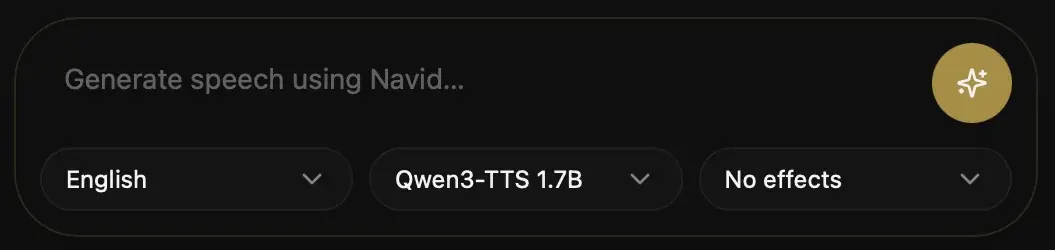
Voicebox also has its own MCP server, so Claude Code can talk to you in your cloned voice, for example when a long task is done.
Its README shows a command with a --url flag, but Claude Code doesn't have one. I got "error: unknown option '--url'". This version works:
$ claude mcp add --transport http voicebox http://127.0.0.1:17493/mcp --header "X-Voicebox-Client-Id: claude-code"Keep Voicebox open while you use it. Claude Code then gets four tools: speak, transcribe, list your recordings and list your voices.
Voicebox runs on your own computer, so it doesn't take phone calls. For that, you need one of the platforms above.
How to put your own voice in your AI voice agent
There are three ways to put your own voice in your agent:
- Audio you need
- A few seconds to 2 minutes
- Time
- Seconds
- Where
- ElevenLabs Starter and up, my free tool, Voicebox
- Audio you need
- 1 to 3 hours
- Time
- 3 to 6 hours of training
- Where
- ElevenLabs Creator and up
- Audio you need
- As much as you have (I used 142 minutes)
- Time
- About 20 minutes on an A100
- Where
- Your own rented GPU
Start with an instant clone. You can try one right here, free. It runs in your browser, and your voice never leaves it:
A professional clone sounds much more like you. It's the voice my own agent uses.
How to make an instant voice clone on ElevenLabs
An instant clone is ready in seconds, on any paid plan from Starter:
More audio doesn't help an instant clone. ElevenLabs says more than 3 minutes adds little, and can make the clone worse.
How to make a professional voice clone on ElevenLabs
A professional clone is trained on your recordings, so it needs much more audio and a Creator plan or higher:
Creator and Pro plans include one professional clone, Scale includes 3 and Business includes 10.
These recording tips come from ElevenLabs, and they matter for any clone:
- Only your voice – no other people, no music, no background noise
- A good mic, close – about 20 cm (8 inches) from your mouth, with a pop filter
- The same energy throughout – the clone copies how you sound in the sample, so record the way you want it to talk
- Clean it up – my free background noise remover and audio enhancer help when your room isn't quiet
When I started training my own voice, I set the bar here:
My clone has to be identical to my voice, or at least better than ElevenLabs.
So I ran a blind test. I listened to nine lines, each in three versions: my real voice, my ElevenLabs professional clone and my trained voice, shuffled. And I couldn't say for sure which was which.
Try it yourself. These are two of the lines, with the trained voice I use for calls now:
On a speaker likeness score, my trained voice scored 0.78 and my ElevenLabs clone 0.75, on nine lines it had never heard. That score favors clips from the same mic as the samples, though, so I trust my ears more.
For short answers on a call, my trained voice works. For reading a full post aloud, it's not there yet: over a few minutes, I still hear odd T sounds, noise and slow stretches.
ElevenLabs v4 is more polished for long reads. But to my ear, it sounds a bit more American than I do.
Watch out Only clone your own voice, or a voice you have clear permission to use. And tell callers they're talking to an AI.
Every problem I hit (and how I fixed it)
I hit a lot of problems building these agents. These are all of them, so you can avoid them.
1. It heard names wrong
Speech to text heard "Hi Navid" as "Hi, David", and my free tool wrote "Navid Mouazis".
The fix was a list of the names callers would say. In ElevenLabs, that's the speech to text keywords. In Whisper, it's a line in its prompt.
With a list of eight names, my 16-question test call got every name right except "navid.me".
2. It read web addresses and symbols badly
The AI model writes "navid.me", curly quotes, dashes and special hyphens. The voice stumbled on all of them.
The fix was to clean the text before the voice gets it: "navid dot me", plain quotes, plain hyphens, and dashes turned into commas.
3. The answers were written for reading
The AI model's first answers had dashes, long sentences and lists, made for a screen.
The fix was in the prompt: spoken words only, no lists, no markdown, no emojis, no dashes, and one or two short sentences.
4. My first trained voice had someone else's accent
My first training run said the words, but in a nasal American accent that wasn't mine. The next runs ignored the text and babbled.
The cause was the three bugs in the official training script. With them fixed, the voice finally sounded like me.
5. The first second was garbled
Some answers started with a garbled word, then got clear.
The training clips started right on the first word. Adding the 0.3-second lead-in of room quiet to every clip fixed it.
6. It was too slow for a live call
The standard way of running the voice model took too long to start speaking.
The fix was faster-qwen3-tts: about 0.3 seconds to the first sound on an A100.
7. A library update broke it
A new version of the transformers library broke the fast version of the voice model. Chatterbox needed an older version of another library too.
The fix was to pin the exact version of every library.
8. It said "um" and "ah"
My trained voice learned my fillers from my sessions, so it added "um" and "ah" where the script had none. And my check missed them, because Whisper drops fillers from what it writes.
The fix was training clips without fillers, and a second check that keeps the fillers in.
9. Some sentences played in slow motion
A few sentences came out far slower than I talk.
The fix was a pace check: any sentence slower than 2.1 words a second gets made again. Stretching the audio afterwards made it sound like a robot, so I don't.
10. More training made it worse
A run on 67 minutes of extra-clean clips overfit: it learned those clips too well, and the audio broke.
The fix was going back to the run that worked.
11. Other languages were hard
In Spanish, my trained voice came close, but it stumbled on a few words, like "nuevo".
For other languages, I tested Chatterbox Multilingual. Setting its cfg\_weight to 0 cuts the accent it copies from the English sample.
12. My agent promised languages its voice can't speak
My ElevenLabs agent's prompt lists 32 languages, but its voice model, Flash v2, is English only.
The fix is a multilingual model like Flash v2.5 or v4 Turbo, the languages added in the agent's settings, and the language detection tool on.
13. My AI model ran out of credit mid-test
My first choice of AI model stopped answering when its prepaid credit ran out.
I switched the tests to Groq. In ElevenLabs, set a backup model, so a failure doesn't end a call.
14. I scaled before one test worked
I started four short training runs at once, before the first one was proven. About $12 of GPU time went on runs that didn't work.
Now I run one test, listen to it, and only then run more.
15. Long reads still don't sound right
This one isn't fixed. Over a few minutes of reading, my trained voice still has odd T sounds, noise and slow stretches.
So for reading full posts, ElevenLabs v4 is still better. My voice is for short answers on a call.
What does an AI voice agent cost?
Most platforms charge by the minute. This is what 1,000 minutes a month would cost on each, from their own prices:
- What you pay
- $22 a month with 275 minutes, then $0.08 a minute, plus the AI model
- 1,000 minutes a month
- About $80, plus the AI model
- What you pay
- $0.05 a minute, plus each provider
- 1,000 minutes a month
- $82 to $129, by Vapi's own example
- What you pay
- $0.07 to $0.31 a minute
- 1,000 minutes a month
- $70 to $310
- What you pay
- $0.14 a minute
- 1,000 minutes a month
- $140
- What you pay
- $0.075 a minute
- 1,000 minutes a month
- $75
- What you pay
- $0.06 a minute
- 1,000 minutes a month
- $60
- What you pay
- About $2.50 an hour, always on
- 1,000 minutes a month
- About $1,800
The ElevenLabs line is my math: $22, plus 725 extra minutes at $0.08.
For a few hundred minutes a month, I'd pick ElevenLabs Creator: $22 includes 275 minutes, and you don't run anything yourself.
A GPU of your own only makes sense at high volume, or when you need full control of the voice.
How to test an AI voice agent
Test your agent the way a caller will use it. This is what I check:
- Talk to it, and type to it – voice for how it sounds, text for spelling, emails and numbers
- Run a scripted call – 10 to 20 questions, with names, numbers, a long question and a goodbye
- Time every answer – measure the wait before each first word; mine averaged 0.89 to 1.35 seconds
- Check every word – run the agent's audio back through speech to text, and compare it with what it should have said
- Listen through a phone line – filter the audio to 300 to 3,400 Hz, the range a phone call carries
- Try to break it – interrupt it, go quiet, ask something off-topic, ask for a person
- Read the transcripts – in Call history, after your first real calls
In ElevenLabs, the Analysis tab scores each call against the goals you set. And with the CLI, elevenlabs agents test runs your tests before a change goes live.
Myths about AI voice agents
These are the myths I hear most, next to what I found:
| Myth | What's true |
|---|---|
| You need to code to build one | ElevenLabs Agents is settings and a prompt, and Claude Code can write the rest |
| Open source is free | The code is free, but a GPU for your own voice model costs about $2.50 an hour |
| More training makes a better voice | My longest clean run overfit and broke the audio |
| Cloning your voice takes hours of audio | An instant clone takes a few seconds to 2 minutes. Hours help a professional clone. |
| A good prompt is all you need | Names, web addresses and turn-taking need their own settings |
Common mistakes to avoid
These are the mistakes I made, or nearly made:
- Writing the prompt for a chat window – lists, markdown and long paragraphs sound wrong out loud
- Skipping the names list – your name, your brand and your products get misheard
- Picking a slow model, or lots of thinking – every extra second shows on a call
- Promising languages the voice model can't speak – an English-only model in a multilingual agent
- Cloning a voice without permission – your own voice, or a voice you have clear permission to use
- Hiding that it's an AI – say it in the first message
- Leaving the widget open to every site – add your domain to the allowlist
- Training on audio with other voices in it – only your voice, in every clip
- Scaling before one test works – one run, one listen, then more
FAQs about AI voice agents
An AI voice agent is software that talks with people out loud: it listens, works out what they want, and answers in a natural voice.
It can run on a website, in an app or on a phone line.
ElevenLabs' free plan includes 15 minutes of calls a month, which is enough to build and test your first agent.
If you'd rather code it, LiveKit's free plan includes 1,000 agent minutes a month.
Most platforms charge by the minute, from $0.06 to $0.31 a minute.
ElevenLabs' Creator plan is $22 a month with 275 minutes included, then $0.08 a minute, plus the AI model.
Yes, clone your voice and pick the clone as your agent's voice.
An instant clone takes a few seconds to 2 minutes of your audio, and a professional clone on ElevenLabs takes an hour or more.
Yes, ElevenLabs Agents is a dashboard where you write a prompt, pick a voice and a model, and test it.
If you want it done in code, Claude Code can build and change agents for you with the ElevenLabs CLI or MCP server.
In my test calls, the wait before the first word of each answer averaged 0.89 to 1.35 seconds.
A fast AI model with little thinking, and a voice model built for real time, keep it there.
In the US, the FCC ruled in February 2024 that AI-generated voices count as artificial voices, so calls with them need the person's prior consent.
The rules differ by country, so check yours before you make outbound calls.
Final thoughts on AI voice agents
You can build a working voice agent today, without code, for free.
Start on ElevenLabs. Write a short prompt for the ear, add the names it must hear, and test it until each answer starts in about a second.
Move to open source when you need full control, or have the volume to pay for a GPU. And put your own voice in it when you're ready: an instant clone first, a professional one once you know the agent works.
Keep reading:
- Free voice cloning – clone your voice from a few seconds of audio, in your browser
- Free text to speech – hear any text read aloud in 15 natural voices
- Free speech to text – turn your voice or a recording into text, on your own device
- ElevenLabs – my review
- How I use AI – the AI OS I run my business on
Open ElevenLabs, create a blank agent, paste in the prompt template above, and talk to it for 5 minutes.

Navid Moazzez
AI business strategist
Navid Moazzez helps creators and founders master AI and build their own AI Operating System (AI OS) to automate their business and life.

Navid.me is reader-supported. When you buy through links on this site, I may earn an affiliate commission. Read the affiliate disclaimer.
On this page
Similar articles
What is a token in AI? The 4 kinds and what each one costs
What is Claude Code? What it does, where it runs and what it costs
All 6 Claude Code permission modes, and what each one allows
How to install Claude Code: 8 ways, and which one to pick
All 118 Claude Code commands, and when to use each
17 hidden Claude Code commands most people never find
How to build an AI operating system (AI OS)
How to set up VS Code for Claude Code (in one command)
What is vibe coding? (And how it works)
What is a vibe creator? (And how to become one)
10 biggest AI lessons to 10x your creator business (2026)

45 ways to make money with AI in 2026, with what each pays
Related free tools


 Free AI newsletter
The most actionable AI newsletter for founders
Every week, get proven AI strategies, curated tools, and step-by-step systems to grow your audience, create better content, and build a profitable creator business.
No fluff, no filler, no BS. Just five minutes each week that might level up your online business and life.
P.S. Sign up now to get free access to my ultimate AI tools guide for creators.
