



Free SOP Generator (+ Guide)





A free SOP generator that turns a video, a Loom, a doc or messy notes into a standard operating procedure your team, or your AI, can follow.
0.0(0 ratings) by Navid Moazzez·Updated Sept 30, 2026·5 min read·Navid.me is reader-supported. When you buy through links on this site, I may earn an affiliate commission. Learn more.
This free SOP generator turns a recording, your notes or a few answers into a standard operating procedure your team can follow.
It reads a screen recording or a Loom, YouTube or Vimeo video, adds a screenshot to each step, checks the SOP against 20 rules, and gives you a page for your own site, plus Markdown and an Agent Skill for your AI.
Here's what an SOP generator is, what a good SOP has, and how to turn a video into one.
TL;DRKey takeaways
What is an SOP generator?
An SOP generator is a tool that writes a standard operating procedure for you, from a source like a screen recording, meeting notes or a doc.
A good one keeps to what the source says. When a step is missing, it leaves a blank for you to fill instead of guessing.
It's for business processes. A statement of purpose for a university or a visa is also called an SOP, and this tool doesn't write those.
What is an SOP (standard operating procedure)?
A standard operating procedure is written, step-by-step instructions for a task you do again and again, so anyone can do it the same way.
The US Environmental Protection Agency's guide to SOPs (EPA QA/G-6) sets the bar: someone with limited experience should be able to "successfully reproduce the procedure when unsupervised."
The parts of a good SOP
| Part | What it holds |
|---|---|
| Header | The title, why it matters, who owns it, who follows it, how often and how long |
| Before you start | The access, tools, skills and inputs needed |
| Steps | One action each, starting with a verb, with decisions and checks |
| Troubleshooting | What goes wrong, how to fix it, and who to ask |
| Done when | What finished looks like, and how to check it |
| Review | When to review it, who updates it, and a revision record |
EPA's guide adds 2 habits most templates skip: a flow chart of the steps, and a review on a schedule, "e.g. every 1-2 years", with the date on the SOP. The page this tool makes has both.
How to use the SOP generator
How to write an SOP by hand in 7 steps
- Record yourself doing the task once, and talk through each step. Dan Martell calls this the Camcorder Method in Buy Back Your Time.
- Write the steps in order, one action each, starting with a verb.
- Add a decision wherever the person has to choose, with both ways.
- Add a check after the steps most likely to go wrong.
- List what's needed before starting: access, tools and files.
- Say what done looks like, and how to check it.
- Give it to someone who has never done the task, and fix every question they ask.
Step 7 is EPA's rule too: draft SOPs should be "tested by individuals other than the original writer" before they're final.
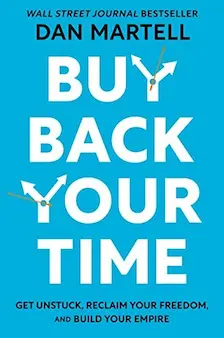
Buy Back Your Time

by Dan Martell
Buy Back Your Time by Dan Martell teaches entrepreneurs how to reclaim time, delegate effectively, and scale a business without burnout.
I may earn a commission if you make a purchase, at no additional cost to you.
How to turn a video or a Loom into an SOP
Drop a screen recording (MP4, MOV or WebM) where you talk through the task as you do it. The tool writes out what you say with the time of each line, the AI writes the steps, and step 4 takes each step's screenshot from its moment in the video. The video never leaves your browser: only its sound is sent, to be written out.
For a Loom, YouTube or Vimeo video, paste the link and press Read it. The tool reads the video's captions with their times, so every step in the SOP can jump to its moment in the video.
It reads public Loom, YouTube, Vimeo, TikTok, Instagram, Facebook, X and LinkedIn videos. For a private video, download its transcript and drop the file in.
The AI writes only what the video says. Anything the video skips, like a folder name or who approves, becomes a blank in square brackets for you to fill.
The 20 checks
Every SOP is checked in your browser against 20 rules from the SOP checklist the tool was built on, EPA's SOP guide and checklist research. A few of them:
- Each step starts with a verb and does one thing
- No vague words like "properly" or "as needed"
- Every decision says what to do both ways
- Every phase has a quality check
- Nothing private, like a password or a key
The fact check reads the SOP against the source and flags anything the source doesn't say. The new hire test reads it as the person who follows it, and lists every question they'd have to ask.
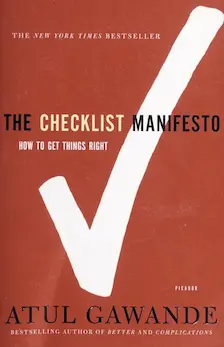
The Checklist Manifesto
by Atul Gawande
The Checklist Manifesto by Atul Gawande reveals how simple checklists can prevent mistakes, improve efficiency.
I may earn a commission if you make a purchase, at no additional cost to you.
How to turn an SOP into a Claude skill
An SOP is instructions for a person. An Agent Skill is the same for an AI: a SKILL.md file that Claude, Codex and ChatGPT load when a task matches it.
Press Download the skill. You get a folder with SKILL.md, your steps as a checklist the AI copies and ticks off, and your troubleshooting in a reference file.
In the Claude apps, add it under Customize, then Skills. In Claude Code, put the folder in \~/.claude/skills. In Codex, put it in .agents/skills.
Where to keep your SOPs
The page is 1 HTML file. Put it on any host, open it and print it to PDF, or paste the Markdown into Notion or a Google Doc. The tool's last step walks you through Netlify, Vercel, Cloudflare Pages, GitHub Pages and more, with a prompt for Claude Code or Codex that puts the page live for you.
A page on a public host is open to anyone with the link. To keep it private, put it behind your host's password option, or behind Cloudflare Access, which is free for up to 50 users.
Final thoughts
The best SOP is the one a new person can follow on day one without asking you anything.
Start from a recording of you doing the task, let the checks find the gaps, and run the new hire test before you hand it over.
SOP Generator FAQs
Questions about the SOP generator? Here's what to know.
An SOP generator is a tool that turns a source, like a screen recording, notes or a doc, into a standard operating procedure.
This SOP generator also checks the SOP against 20 rules and gives you a page, Markdown and an Agent Skill.
Yes, the SOP generator is free, with no login.
The AI on the page has a daily limit, and you can always run the same job in your own AI for free.
Every SOP the AI writes costs the site money, so a daily limit keeps the tool free for everyone.
It also stops bots from using it up.
Each person gets a set number of AI writes, recording minutes, fact checks and new hire tests a day, and the site has a cap for everyone together.
Writing moves to your own AI, free: press Claude, ChatGPT, Gemini, Grok or Perplexity to take the prompt there, or copy it and paste it anywhere.
The rule checks, the page and the downloads keep working, since they run in your browser.
The fact check and the new hire test come back within a day.
Yes, ChatGPT can write SOPs when you give it the steps and a format.
The SOP generator gives your AI both: press Copy the prompt, paste it into ChatGPT or Claude, and paste the answer back to check it.
Yes, the SOP generator writes the steps from what's said in a video.
Drop a screen recording and it writes out the sound, then takes each step's screenshot from its moment in the video.
For a Loom, YouTube or Vimeo link, it reads the captions and keeps each step's time, so the page can jump to that moment.
Paste the Loom's share link into the SOP generator and press Read it.
The Loom must be public with its transcript shown to viewers.
For a private Loom, download the transcript and drop the file in.
EPA's SOP guide lists 5 parts for a business SOP: a title page, a table of contents, the procedures, quality control, and references.
The SOP generator also adds troubleshooting, a done standard and a review record.
An SOP should be as short as it can be while a new person can still follow it without help.
The SOP generator flags any phase over 9 steps, so long processes split into phases.
Update an SOP whenever the process changes, and review it on a schedule.
EPA's SOP guide suggests a review every 1 to 2 years, with the review date on the SOP.
An SOP covers a full process: who does what, when and in what order.
A work instruction covers one task inside it in more detail, often with screenshots.
Yes, press Copy Markdown in the SOP generator and paste it into a Google Doc or Notion.
To get a PDF, open the page in a new tab and print it.
Yes, step 4 of the SOP generator adds a screenshot to any step.
From a screen recording, one press takes each step's screenshot from its moment in the video.
You can also drag one in, paste it, or upload it.
Each one shows in the page under its step, and the Markdown stays plain text.
Download the page, then follow the last step of the SOP generator: it walks you through Netlify, Vercel, Cloudflare Pages, GitHub Pages, Hostinger, DigitalOcean, Railway or your own site.
It also gives you a prompt for Claude Code or Codex, which puts the page live for you and says how to keep it private for your team.
Yes, press Download the skill to get a SKILL.md folder for Claude, Codex and ChatGPT.
Your steps become a checklist the AI copies and ticks off, and a step only a person can do tells the AI to stop and ask.
Your SOP is saved in this browser only.
When you press Write my SOP, the source goes to the AI to write it and isn't kept.
A recording's sound goes to the AI to be written out and isn't kept either, and the video itself never leaves your browser.
The SOP generator is for founders, creators and small teams who hand work to a VA, a teammate or an AI.
The lead magnet generator turns a checklist into a page with an email gate.
The readability checker shows how easy your writing is to read.
See all my free tools.

Navid Moazzez
AI business strategist & AI OS builder
Navid Moazzez helps creators and founders master AI and build their own AI Operating System (AI OS) to automate their business and life.

Navid.me is reader-supported. When you buy through links on this site, I may earn an affiliate commission. Read the affiliate disclaimer.
On this page
More free tools


Related MCP servers & CLIs

 Bluesky
 Substack
 Threads
 Mastodon
 TikTok


 Apple Podcasts
 Free AI newsletter
The most actionable AI newsletter for founders
Every week, get proven AI strategies, curated tools, and step-by-step systems to grow your audience, create better content, and build a profitable creator business.
No fluff, no filler, no BS. Just five minutes each week that might level up your online business and life.
P.S. Sign up now to get free access to my ultimate AI tools guide for creators.
